
Design teams are drowning in busywork.
Not because they lack talent. But because the workflow is broken.
Screens get designed in isolation. Flows are stitched together manually. Developers reverse-engineer intent from static mocks. Everyone loses time arguing over padding, states, and edge cases instead of shipping.
AI did not magically fix this. In fact, most AI design tools made it worse by generating pretty pictures that fall apart the moment real production constraints show up.
The real shift is not AI making screens faster. It is AI changing how products are designed in the first place.
This is the modern prompt-to-production workflow. And if you are still designing screen by screen, you are already behind.
The Shift From Screens to Systems
For years, design tools treated products as collections of artboards.
That model breaks the moment you introduce:
- Real user flows
- Conditional states
- Permissions
- Edge cases
- Responsive behavior Modern products are not screens. They are systems of flows.
AI exposes this weakness instantly. If your tool only understands pixels, the output will always collapse at production time.
Deterministic vs Agentic Design Workflows
Traditional SaaS tools are deterministic.
They follow predefined rules. They work well on the happy path. And they completely fall apart when reality shows up.
That is why teams build Frankenstein workflows with:
- Spreadsheets
- Manual QA
- Slack threads
- Redlines
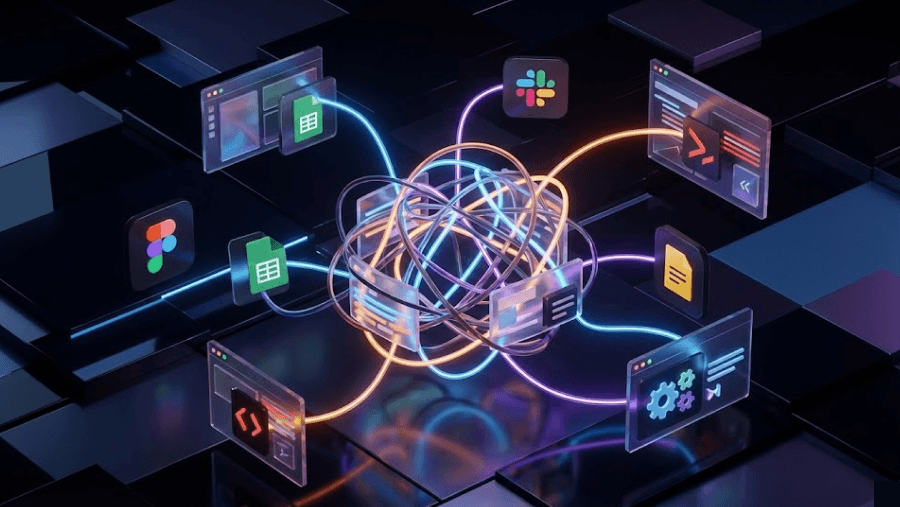
Agentic AI flips this model.
Instead of following rigid steps, AI agents reason about goals, context, and exceptions. You define intent and constraints. The system figures out the path.
This changes how software is built. And how design work happens.
The Upgraded Role of the Designer
AI is not replacing designers. It is exposing which parts of the job never mattered.
Pixel nudging. Boilerplate wireframes. Repetitive layouts.
Those are done.
The modern designer is a:
- Product architect
- Flow thinker
- Decision maker
- Systems editor
Your value is no longer execution. Your value is judgment and direction.
AI becomes the force multiplier.
Ideation Tools vs Production Tools
Not all AI design tools solve the same problem. Treating them as interchangeable is a rookie mistake.
Ideation and Visualization Tools
- Output static images
- Great for vibe checks
- Useless for production They help you imagine. They do not help you ship. ###Rapid Prototyping Tools
- Fast validation
- Low fidelity flows
- Heavy rework later Good for early demos. Painful for real handoff. ###Production Design Tools
- Structural output
- Editable files
- Design system aware
- Code export capable This is where tools like UXMagic sit. And this category is where real leverage lives.
Why Generic AI UI Generators Fail
Generic image models are incredible at art. They are terrible at UI.
The failures are consistent:
- Accessibility is ignored
- Flows make no sense
- Elements hallucinate
- Output is rasterized
- No understanding of hierarchy or state
A dashboard is not a picture. It is a logic problem.
If your AI does not understand structure, it will never survive production.
Flow First Design With UXMagic
Most tools start with screens. UXMagic starts with flows.
Flow Mode
Instead of prompting:
- Login screen
- Home screen
- Settings screen
You prompt for the journey.
Example intent: Create a B2B SaaS signup flow with email verification and team invitation.
The system:
- Maps intermediate states
- Maintains visual continuity
- Enforces system consistency
- Prevents design drift This alone eliminates hours of manual stitching.
Sitemap Automator
Information architecture is usually where projects slow down.
UXMagic turns briefs and feature lists into:
- Structured sitemaps
- Linked flows
- Living documentation
When requirements change, the system updates the structure instead of breaking it.
This is how agencies compress scoping from days to minutes.
The Prompt to Production Workflow
This workflow is already becoming the industry standard.
Phase 1: Composition Plan
Before pixels, define structure.
Ask the AI to propose the layout architecture in text first.
You correct logic early. Not after visuals are generated.
Phase 2: First Pass Draft
Generate the rough system:
- Core flows
- Primary screens
- Major sections This is a coverage pass. Not a polish pass.
Phase 3: Zoom In Refinement
Now you edit like a strategist:
- Adjust hierarchy
- Refine copy
- Tune spacing
- Fix interaction logic This layered approach avoids hallucination loops and keeps the system coherent.
Phase 4: Production Export
UXMagic exports:
- Auto Layout enabled Figma files
- React and HTML code At this point, the design stops being a picture and becomes infrastructure.
Design to Code Without the Handoff Tax
Traditional handoff is expensive.
Developers:
- Measure margins manually
- Guess states
- Rebuild structure
- Ask endless clarification questions AI code export does not eliminate developers. It removes the worst parts of their job.
UXMagic focuses on:
- Semantic HTML
- Reusable components
- Consistent spacing
- Structural clarity The result is not deploy-ready code. It is a high-fidelity starter kit that removes 80 percent of grunt work.
The last mile still belongs to engineers. And that is exactly how it should be.
SEO and Product Intent in AI Design Tools
SEO is no longer about keywords.
It is about intent.
Search engines now infer what a user is trying to build. Not just what they typed.
That is why modern design content must:
- Explain workflows
- Show reasoning
- Map intent to output This is also why AI tools that understand structure and semantics outperform tools that only generate visuals.
Product intent is the real moat.
Business Impact and What Comes Next
This shift is not optional.
The economics are brutal:
- Faster design means more experiments
- Faster MVPs mean lower failure cost
- Consistency reduces long-term design debt We are moving toward:
- Object-oriented UX
- Autonomous design systems
- Design and code are two views of the same source The teams that adapt early will compound speed. Everyone else will fight their tools.
Build Your Next Product Flow in Minutes
Turn intent into structured UI and production-ready code. Generate real flows, export Figma files, and skip weeks of manual stitching. Start free.

Conclusion
The future of design is not faster pixels.
It is clearer thinking.
If you are still measuring margins and redlining flows, AI will feel threatening. If you are designing intent and systems, AI becomes unfair leverage.
Prompt-to-production is not a trend. It is the new baseline.