AI MVP BuilderIdea to Every Screen
See How AI BuildsYour MVP Instantly
Trusted by Designers and Developers
Faster than manual design
Responsive by default
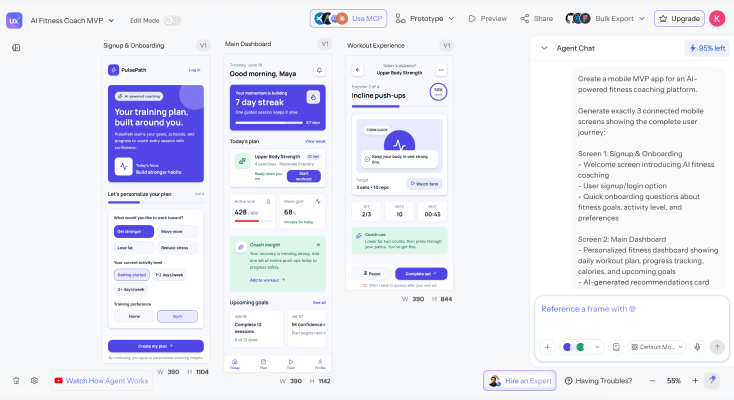
Every screen inyour MVP flow
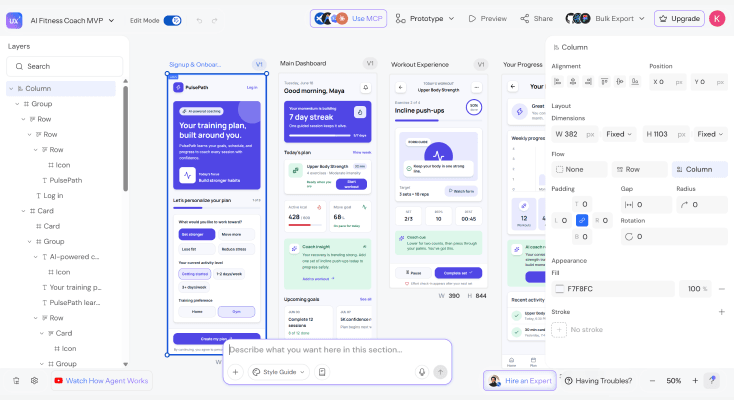
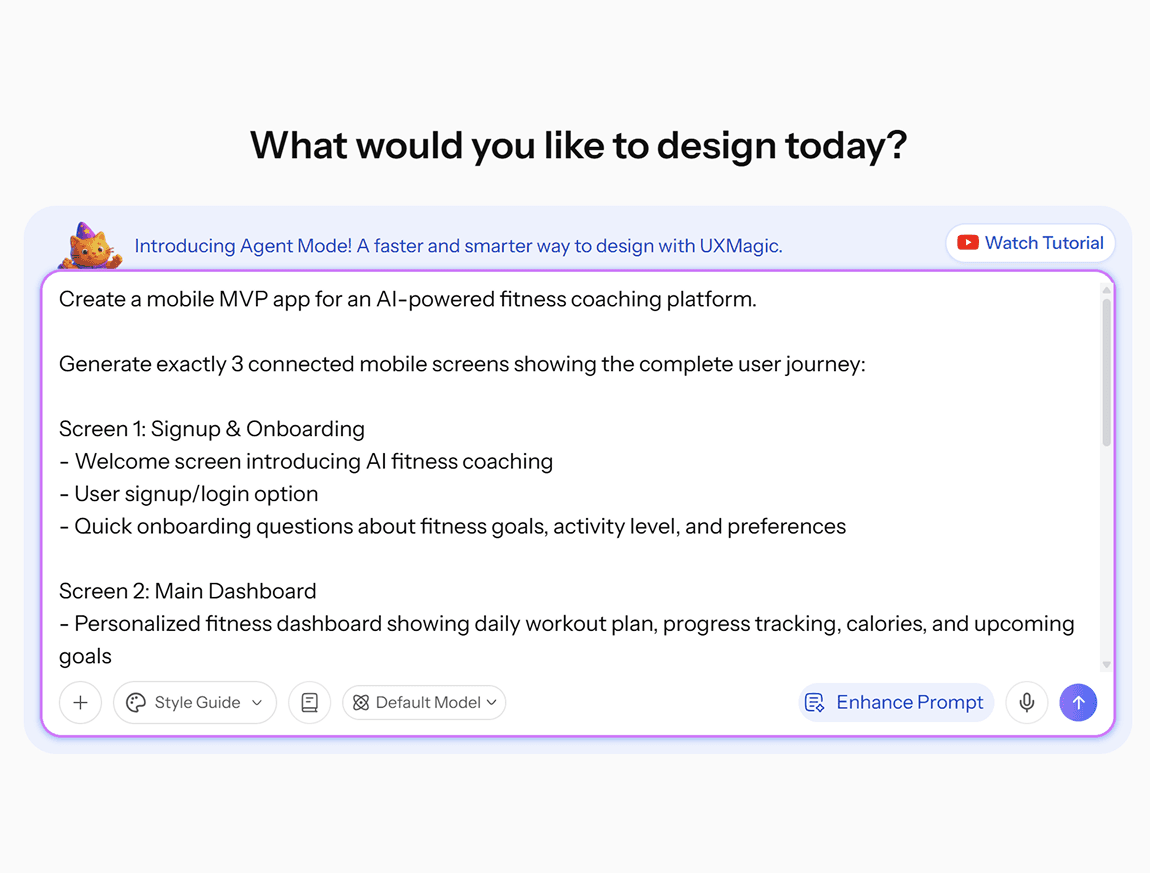
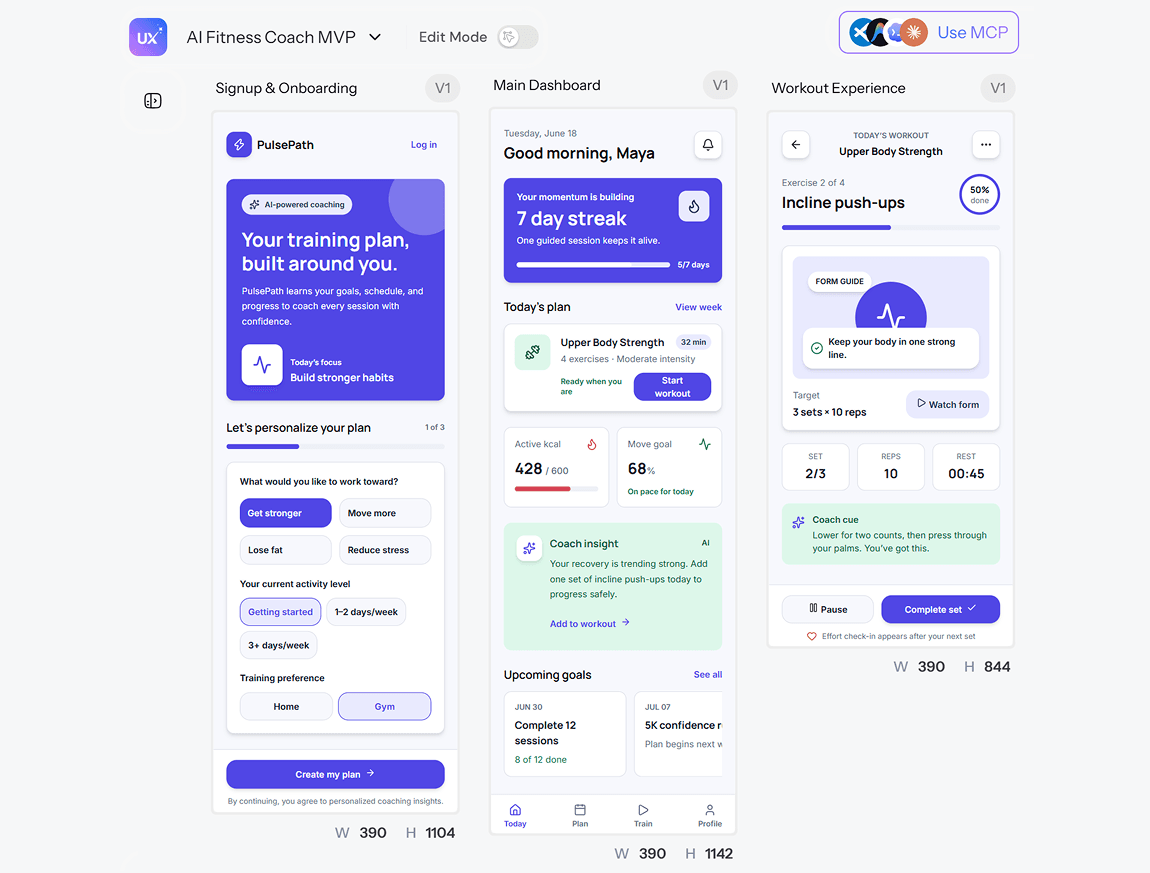
Describe your product idea and UXMagic generates every screen in the user journey end to end. Build an mvp with AI that covers signup, core features, and key interactions - ready for user testing or investor demos, not just a single polished screen.
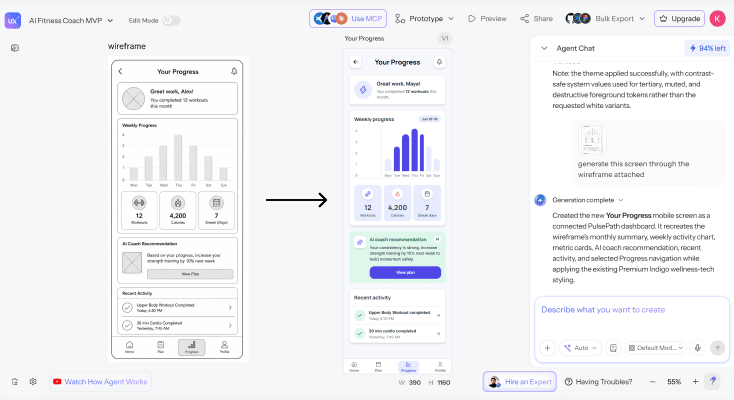
Wireframes toinvestor ready designs
Start with a structural draft to validate your MVP's flow, then convert to polished, high-fidelity screens in the same workflow. Present a product that looks built without spending months on design or hiring a full-time designer.
Test and iteratein real time
Refine your MVP screens with follow-up prompts to test different layouts, flows, and feature sets. This is how to build mvp with ai that actually gets validated - try multiple directions before committing engineering time to one.
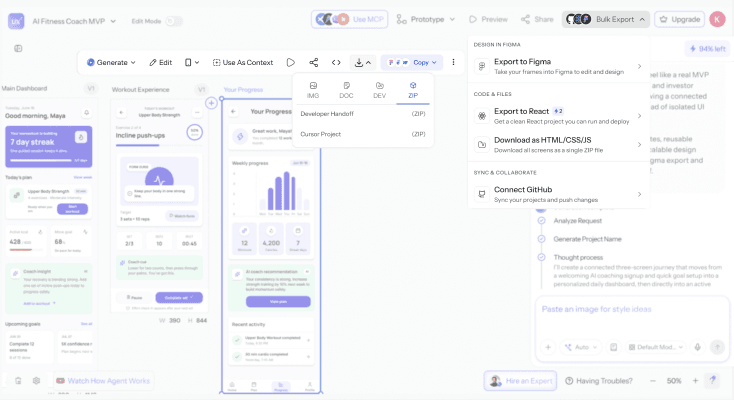
Export to Figmaor hand off code
Move your MVP designs into Figma for co-founder review, or export production-ready code your developers can build from directly. Your screens become the specification that keeps design and engineering aligned from day one.
What you walk away with
A complete MVP, not a single screen
Every step of the user journey - onboarding, core features, key interactions generated as one connected flow, ready for real user testing or an investor demo.
Looks built, without months of design.
Go from a structural draft to polished, high-fidelity screens in the same workflow, so your MVP presents like a real product without a dedicated design hire.
Figma and code, from one generation
Export into Figma for co-founder or investor review, or download production-ready code your developers can build from directly both from the same product description.
UXMagic vs Figma vs UXPilot vs Bubble vs Lovable vs Bolt.new
A lot of tools call themselves an ai mvp builder. Here's what separates them when you look at what an early-stage startup actually needs:
| Feature | Figma (native AI) | UXPilot | Bubble | Lovable | Bolt.new | UXMagic |
|---|---|---|---|---|---|---|
| Full MVP screen set from one description | ||||||
| Design-first (validate before building backend) | ||||||
| Low-fidelity to high-fidelity in one workflow | ||||||
| Multiple design directions to test | ||||||
| Consistent design system across multi-screen flows | ||||||
| Export to Figma as editable layers | ||||||
| Export to production-ready code |
got questions?we have answers.
An AI MVP builder generates a complete set of interface screens for a startup product from a written description, instead of requiring a designer to build each screen manually. UXMagic's AI MVP Builder produces a full user journey onboarding through core features from one product description.
Describe the product you're validating core user flow, key features, target audience and UXMagic generates the complete set of screens covering that journey. Refine specific screens with follow-up prompts, then export.
No-code platforms like Bubble focus on building and hosting a functional backend application. UXMagic focuses on the design layer generating investor-ready, testable screens quickly, which you can then export to Figma or hand to developers to build the actual functioning product.
Yes. UXMagic generates polished, high-fidelity screens suitable for investor decks and demos, not just rough wireframes presenting a product that looks built, even before development starts.
A complete MVP screen set covering onboarding and core features generates in seconds from your product description, compared to days or weeks working with a designer from scratch.
Yes. UXMagic generates screens for web and mobile platforms from the same description-based workflow.
Yes. UXMagic has a free tier that lets you generate and edit MVP designs without a credit card. Paid plans unlock more generations and advanced export options.
built by real people.remixed endlessly.
Be the first to publish something here