You describe a mobile app concept in two sentences, scan the Expo QR code, and test a working prototype on your phone in under ten minutes. Then you attempt to tweak a layout margin, only to watch 30 paid credits vanish into an AI error-correction loop. Here's the real operational breakdown of Rork AI's performance, credit mechanics, and structural limitations before you link your credit card.
You already understand the difference between React Native and native Swift, what EAS Build does, and how CRUD operations work. This isn't a beginner's guide to mobile app builders. It's the credit math, the deployment reality, and the exact point where prompt-based UI editing stops being efficient and starts being expensive.
Pros & Cons
Pros:
- Fast first-screen generation - a working prototype live on a physical device within minutes
- Genuinely capable native Swift output on Max, reaching Apple-specific capabilities React Native can't touch
- Code exports to GitHub, giving real independent access outside the platform
Cons:
- Chat-only interface means visual tweaks (padding, spacing, color) burn the same credits as new features
- No rollover on unused monthly credits, and dashboard access locks immediately on cancellation
- Backend integration (relational databases, file uploads, third-party APIs) frequently breaks the AI's reasoning
- Mobile-only footprint - no native path to a matching web app or admin dashboard
Quick Comparison
| Category | Rork | Lovable | Bolt.new | UXMagic |
|---|---|---|---|---|
| Platform | Mobile (React Native / native Swift) | Web | Web | Mobile + Web |
| Best for | Fast mobile prototypes | Full-stack web apps | Web app scaffolding | Multi-screen UI flows across platforms |
| Pricing | Free–$200+/mo (credit-based) | Credit-based | Token-based | Free tier + paid plans |
| Visual editing | Chat-only, no visual layer | Chat-only | Chat-only | Native visual flow editor with auto-layout |
| Code output | React Native / Swift | React / Supabase | React | React / HTML, plus Figma export |
What Is Rork AI? Architecture and Core Capabilities
Cross-Platform React Native vs. Native Swift Outputs
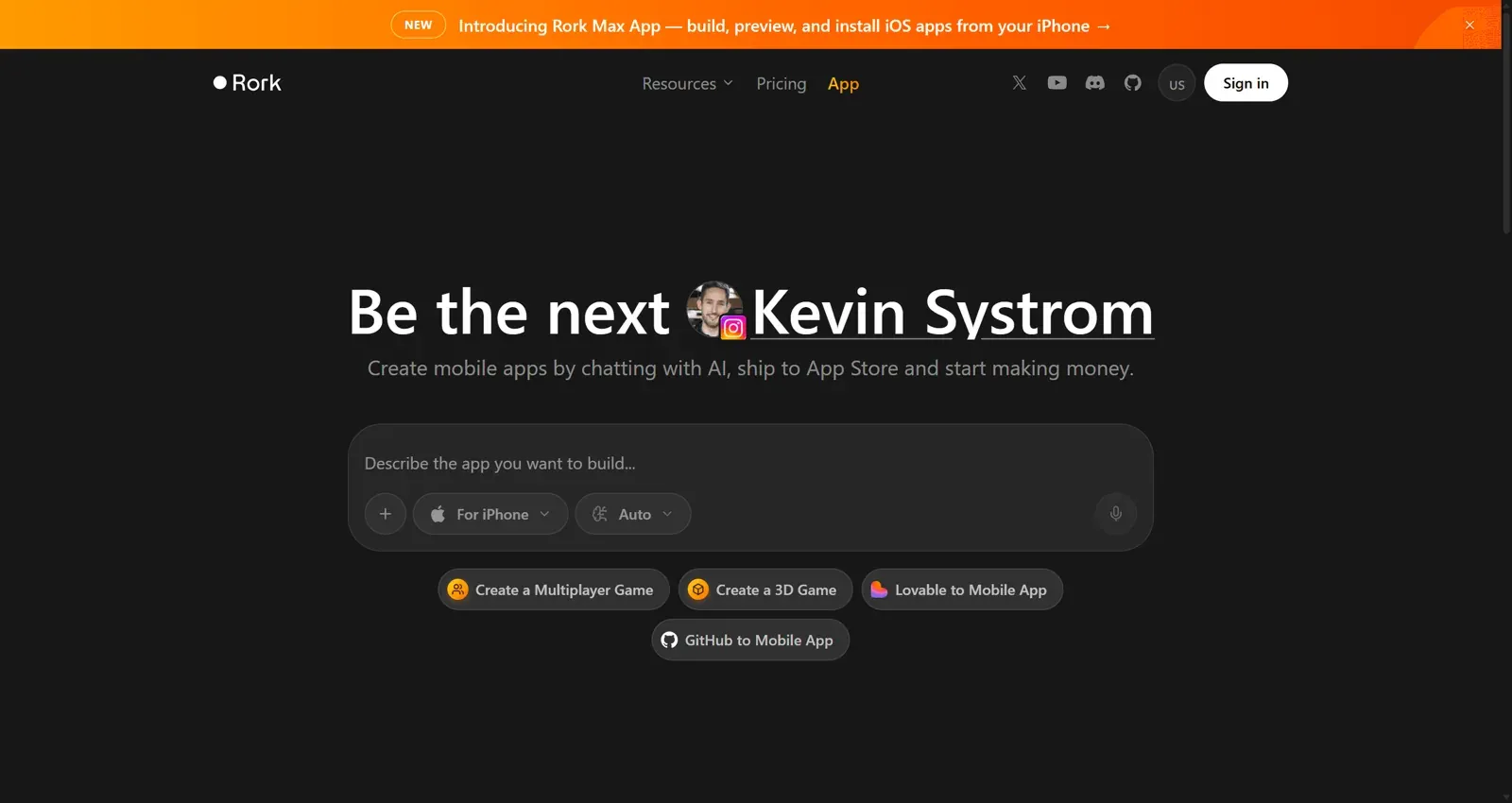
Rork is an a16z-backed text-to-mobile app builder that generates working iOS and Android apps from natural language prompts. The standard product (Rork, sometimes called Pro) outputs cross-platform React Native code via Expo - one codebase running on both platforms. Rork Max is a genuinely separate product built around native Swift generation, unlocking iOS-specific capabilities like widgets, Apple Watch, and Vision Pro that React Native simply can't reach.
Cloud Previewing with Expo Go Integration
Creators scan an Expo QR code to run live builds directly inside the Expo Go app on a physical phone - no simulator setup, no Mac required for the standard tier. That's a genuinely fast feedback loop for early validation, and it's the part of Rork's pitch that holds up best in practice.
Rork AI Pricing Breakdown (2026 Tiers & Credit Economics)
The Free Plan: Limits & Practical Constraints
| Plan | Price | Credits | Best For |
|---|---|---|---|
| Free | $0 | 35/month, 5/day cap | Testing the platform, simple public prototypes |
| Pro | From $20/month | Varies by tier | Cross-platform MVP validation |
| Max | $200/month | Varies by tier | Native Apple ecosystem apps |
Rork's free tier provides 35 credits per month, capped at 5 daily requests. Projects built on the free tier are publicly accessible by default - private projects, developer mode code export, and continuous credit allocations require a paid plan starting at $20/month.
Pro vs. Max: Is the $200 Native Apple Tier Worth It?
The $200/month Rork Max tier represents a real cost jump worth scrutinizing before committing. Rork gates native Apple ecosystem output - SwiftUI, iPad OS, Apple Watch, native widgets behind Max specifically. For the large majority of consumer app MVPs and early business validation, cross-platform React Native code (available on Rork starting at $20/month) delivers indistinguishable frame rates and user experience. Paying for native Swift compilation before confirming product-market fit is generally putting money toward a problem you don't have yet.
The Credit Depletion Model: Rollover Rules & Bug-Fix Costs
Credit forfeiture policies work against realistic iterative testing. Unused monthly credits expire entirely at the end of each billing cycle with zero rollover, and canceling a paid subscription locks access to hosted project dashboards immediately - you need an active plan just to view or export a project you already built.
Every subsequent prompt attempting to fix an AI-introduced error also consumes credits. When Rork's model generates buggy code, the debugging attempts that follow aren't free - they draw from the same pool as the original build. A reasonable planning estimate not a verified industry benchmark, but a useful budgeting rule of thumb based on how credit-metered debugging loops typically behave - is that 30–50% of monthly compute credits can go toward resolving AI-generated syntax and routing errors during normal iteration, not toward new features. Treat that range as a planning buffer, and confirm actual usage against your own project before assuming it holds.
Who Should Use Rork?
- Mobile MVP founders validating a concept fast, where a working prototype in someone's hands matters more than production polish
- Teams doing rapid concept validation - a pitch deck demo, an early user test where the tool's speed genuinely outweighs its editing limitations
- React Native teams who want AI-assisted scaffolding they can hand off to a real engineer for refinement
- iOS-native teams specifically needing Apple ecosystem features (widgets, Watch, Vision Pro) that justify the Max tier's cost
Who Should Avoid Rork?
- Teams needing complex backend logic - relational databases, file uploads, multi-step API integrations tend to break the AI's reasoning past a basic prototype
- Products requiring web + mobile from one system - Rork's mobile-only footprint means maintaining a completely separate stack for any web surface
- Teams doing frequent visual iteration - every padding or spacing tweak routes through the same credit-metered chat interface as a real feature request, which adds up fast
Core Strengths: Where Rork AI Excels for MVPs
Rapid Mobile Prototyping in Minutes
The first-screen generation speed genuinely delivers on the pitch - a clean primary screen from a single prompt, live on a physical device within minutes, is a real advantage for early concept validation.
Code Export & GitHub Synchronization
Source code syncs to GitHub, which matters more than it might seem - if a subscription lapses, the exported repository is the only thing keeping the project accessible at all, given how aggressively dashboard access gets locked on cancellation.
Critical Vulnerabilities & User Complaints
Chat-Only Interface: The Lack of Visual Layout Controls
Driving application design entirely through conversational prompts ("vibe coding") tends to be a costly way to handle interface work specifically. Language models interpret spatial UI adjustments from imprecise text descriptions poorly. Relying on chat prompts to adjust spacing, font weights, or component layout forces full-file code rewrites, burning compute credits on visual adjustments that arguably belong upstream of code generation, not routed through it.
Because Rork relies on a chat-only interface with no visual layout handles, simple padding or color adjustments require regenerating whole code files. Users report burning 40 credits just shifting a bottom navigation bar. In more severe cases, an AI-introduced syntax error on one screen has triggered six consecutive credits spent on failed self-correction before the project froze entirely - the user paying, repeatedly, for the tool's own mistake.
Backend Ceilings: Database & Third-Party Integration Friction
Rork's real strength is client-side layout synthesis. Complex state management, relational backend integration, offline sync, and dynamic file uploads frequently break the AI's internal reasoning - generating sleek UI screens is one thing, wiring a multi-table relational database is a different problem the tool wasn't built to solve cleanly.
Deployment Hurdles: App Store & Google Play Realities
Rork integrates with Expo Application Services (EAS Build) to compile mobile binaries, but creators still have to supply their own Apple Developer account and manage provisioning profiles, signing certificates, and store guidelines independently. "Simplified publishing" doesn't mean automated publishing - non-technical creators frequently hit real walls at exactly this step, without dedicated support to walk them through it.
Mobile-only footprint isolation can create real structural technical debt. Modern products typically need a marketing site, an admin portal, or a web-based workflow alongside the mobile app. Rork's narrow mobile focus forces teams to maintain a separate, disconnected stack for anything web-facing - multiplying integration points and introducing visual inconsistency between the two halves of the same product.
Here's what that looks like on a real project. A non-technical founder needs a workout tracking app - exercise logs, progress graphs, profile screens to present to investors. The prompt-only path: the initial screen generates cleanly, but minor adjustments to the workout logging calendar burn 40 credits across 10 prompt rounds, adding authentication breaks screen navigation entirely, and the monthly credit limit gets hit before the investor pitch.
A structured visual workflow instead mapping and locking the full 6-screen UI flow before touching Rork at all, then feeding clean, structured components in solely for state assembly is illustrated in the scenario as cutting compute burn by roughly 70%, though that figure is a single worked example from this scenario, not a benchmarked average across projects; actual savings will vary by app complexity and how disciplined the upfront visual planning is.
A design agency delivering a client prototype plus a web portal within 48 hours hits a related wall: Rork generates a functional mobile build but has no path to the matching web portal, and client requests for custom typography spiral into dozens of chat prompts, each risking new layout bugs and credit exhaustion.
Rork AI Alternatives & Market Comparison
Rork vs. Lovable vs. Bolt.new: Web vs. Mobile Builders
The AI app generation market has genuinely split into web-first builders (Lovable, Bolt.new) and mobile-focused code generators (Rork). Comparing them head-to-head misses the point - they're solving different platform problems, not competing for the same job.
Bridging the UI Gap: Visual Flow Generation with UXMagic
Competitors in this space - Rork included charge compute credits for every visual iteration, whether that's a genuine feature or a two-pixel padding fix. UXMagic works differently: teams generate, edit, and lock complete multi-screen user journeys visually - auto-layout, typography, spacing grids before exporting downstream code, eliminating the visual editing credit tax entirely rather than metering it.
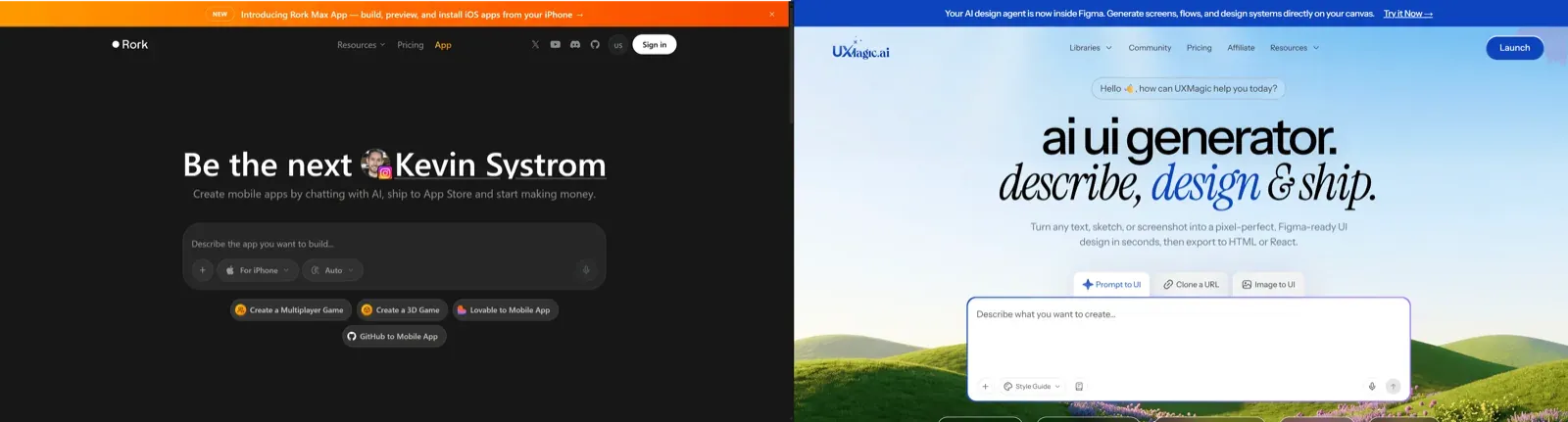
The mobile-web isolation problem gets addressed the same way. Where Rork isolates output to a mobile container, UXMagic generates unified design systems and responsive component flows that export simultaneously to Figma, React, and HTML across mobile and desktop viewports - the agency scenario above, solved by generating both surfaces from the same visual system instead of maintaining two disconnected tools.
Locking the visual structure before code generation starts is the actual fix for the credit-burn pattern throughout this review. Map spatial requirements, navigation logic, and design tokens visually first, and the AI code layer receives a fixed target to build against instead of guessing at spacing through a chat window - the same discipline covered in more depth in structuring prompts before code generation begins.
Final Verdict: Should You Build Your App on Rork AI?
Rork is a genuinely capable tool for what it does best: fast, working mobile prototypes from a text description, live on a real device within minutes. It gets expensive fast the moment visual iteration happens through the same chat interface driving the code - that's where the credit math stops working in your favor.
Before committing budget, run these checks:
- Lock UI layouts visually before code prompting - generate and lock the multi-screen flow first, so chat prompts handle logic and state, not spacing.
- Default to Rork Pro over Rork Max for early validation - confirm demand on cross-platform React Native before paying for native SwiftUI you may not need yet.
- Sync code to GitHub immediately and continuously - it's your only independent access if a subscription lapses.
- Budget real debugging overhead - treat 30–50% of monthly credits as a reasonable planning buffer for fixing AI-generated errors, and adjust based on your own actual usage.
- Pair mobile generation with a responsive web workflow separately - Rork's mobile-only footprint isn't built to cover your marketing site or admin dashboard.
Lock Your UI Flow Before Coding
Design and validate your complete multi-screen mobile flow visually before generating code, reducing costly iteration and debugging later.