Most design-to-code tools promise production-ready React exports, but hand engineering teams a monolithic, 2,000-line static file filled with absolute positioning and inline styles. Rebuilding the screen manually can end up taking less time than cleaning up the generated code. TeleportHQ promises to bridge the design-development gap, but testing reveals a real gap between the marketing claims and what actually lands in a repository.
You already understand design tokens, Figma auto-layout, component hierarchies, and how React and Vue differ as frameworks. This isn't a primer on what HTML is. It's a direct evaluation of whether TeleportHQ outputs code your engineering team will actually accept, or markup that just shifts the work from coding to layout troubleshooting.
The short version: TeleportHQ's code quality depends almost entirely on how disciplined your Figma file already was before you touched the export button and that dependency is exactly where most teams get caught off guard.
Quick Verdict
- Best for: Static websites and landing pages built from clean, auto-layout-native Figma files
- Weak for: Complex SaaS applications, multi-screen flows, dynamic component logic
- Main issue: Significant code cleanup required after export, especially without disciplined source files
- Pricing: Free 7-day trial (no downloads), then $18/editor/month or $9/editor/month billed yearly
Quick Comparison
| Tool | Best For | Main Limitation | Entry Pricing |
|---|---|---|---|
| TeleportHQ | Figma-to-code export | Needs clean Figma structure | $18/mo ($9/mo yearly) |
| v0 | Prompt-to-code | Limited framework scope | Usage-based |
| Builder.io | Enterprise teams | More complex setup | Custom |
| UXMagic | Multi-screen UI flows | Needs a code layer for functionality | See current plans |
What Is TeleportHQ and How Does It Work in 2026?
Key Features: ChatGPT Builder, Figma Plugin, and Framework Export
TeleportHQ is a low-code front-end platform that converts visual web layouts and Figma files into code across nine JavaScript frameworks - React, Vue, Next.js, Angular, Nuxt, Gatsby, Gridsome, Preact, and HTML among them. It combines an integrated ChatGPT-based builder for natural-language layout generation with a Figma plugin for direct frame import, plus a visual drag-and-drop editor for typography and breakpoint adjustments.
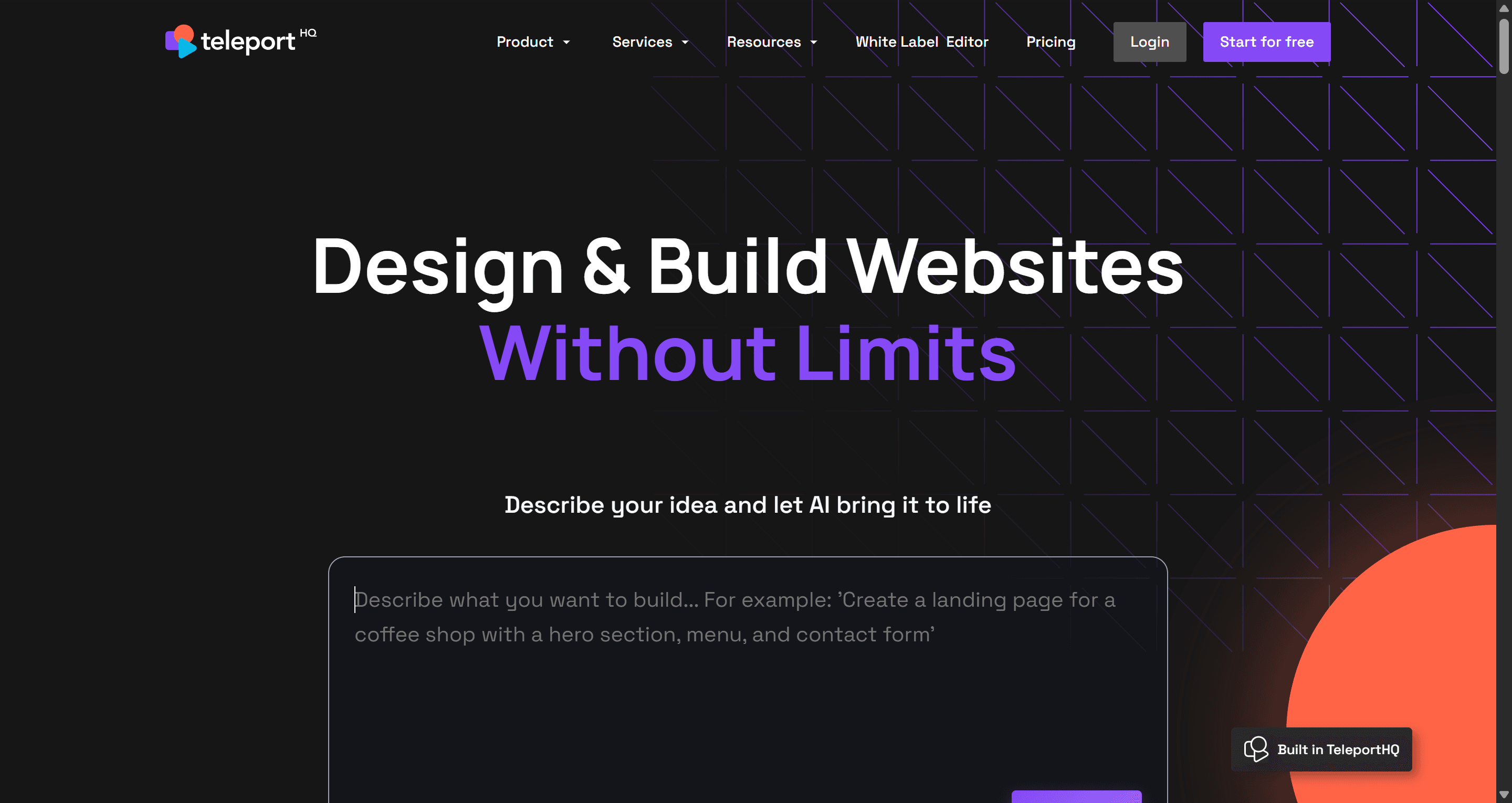
Input isn't limited to Figma and text prompts, either TeleportHQ also accepts screenshots and hand-drawn sketches directly. Upload a photo of a whiteboard layout, and its vision-based generation attempts to produce a working design from it, alongside the more conventional prompt-to-website and Figma-import paths.
Nine-framework export is worth a second look rather than treating it as an automatic win. Supporting that many targets dilutes framework-specific optimization across all of them. A team often gets more long-term value from deep, clean React/Tailwind componentization than from shallow, generic output spread across nine frameworks, several of them niche or aging.
When TeleportHQ Works (And When It Struggles)
When TeleportHQ works:
- Landing pages with straightforward, mostly static layouts
- Marketing websites where content is the priority over interactive logic
- Simple prototypes meant to visually demonstrate an idea, not ship as-is
When TeleportHQ struggles:
- SaaS dashboards with data-driven, repeating components
- Complex workflows involving multi-step state or conditional logic
- Applications relying heavily on reusable components rather than static markup
TeleportHQ Pricing Breakdown: Free Trial vs. Professional Tiers
Hidden Costs: Token Limits, Support Call Fees, and Export Restrictions
TeleportHQ's free trial runs 7 days with no credit card required, including 1 project, 10 code views, and 15,000 AI tokens. The Professional plan runs $18/editor/month billed monthly, or $9/editor/month billed yearly, a 50% discount that's easy to miss if you're only comparing sticker prices. Professional bumps the token allowance to 75,000/month and unlocks unlimited code views and downloads.
Gating code downloads during the trial makes early evaluation harder than it needs to be. The free trial blocks full file downloads entirely, capping users at 10 code viewings meaning an engineering lead can't run a proper local repository test without first upgrading. Modern developer tools generally earn adoption through friction-free local execution; a download restriction works against that.
There's also a real cost most reviews skip entirely: TeleportHQ sells dedicated support calls separately from any subscription tier $80 for one hour, $240 for four hours, or $480 for eight hours, covering things like resolving responsiveness issues or implementing a Figma design as a landing page. That's on top of the Professional plan's live chat support, which is unlimited but not the same as hands-on implementation help.
Iterative prompt modifications also consume the token allowance even when the resulting layout misreads the structural intent of the prompt meaning a developer can burn through a meaningful chunk of the trial's 15,000 tokens just trying to fix a broken navigation alignment that shouldn't have needed fixing in the first place.
Code Quality Analysis: Benchmarking TeleportHQ Output
Absolute Positioning vs. Flexbox: The Figma Handoff Trap
Direct Figma-to-code pipelines face a structural mismatch worth understanding upfront. Figma is a spatial, vector-based canvas recording visual coordinates. Front-end code is a logical tree of stateful components.
The Figma API exposes visual layers, not functional intent expecting a plugin to infer whether a frame represents a modal, a popover, or a reusable card without human structural intervention creates real challenges for the resulting code quality. When Figma frames lack rigid auto-layout structures, TeleportHQ defaults to hardcoded absolute positioning instead of dynamic flexbox, an outcome that requires significant refactoring for any dynamic, data-driven application layout.
Componentization Failures in React and Vue Exports
Instead of breaking a complex page into modular, reusable components, the exporter can dump static markup into a single large file. A row of four identical feature cards might export as four separate hardcoded blocks rather than one component mapped over a data array; the AI doesn't always infer that a visually repeated pattern should be structurally repeated too.
The accessibility gap compounds this. Automated generations can fail Lighthouse accessibility audits due to missing ARIA labels, missing semantic markup tags, or improper contrast ratios output that looks visually correct and fails a real compliance check the moment anyone runs one.
Here's what that looks like on a real handoff. A design agency delivering static landing pages to an engineering client previously spent 40 hours manually translating Figma files into code, line by line. Using TeleportHQ's Figma plugin instead converts frames to React components in seconds but inspecting the exported zip, the client's engineering lead finds dangerouslySetInnerHTML used for standard text rendering and absolute-positioned divs generated for what should have been responsive grids. The client rejects the submission, requiring a manual rebuild.
TeleportHQ vs. Alternatives: How It Compares
TeleportHQ competes across two distinct categories dedicated Figma-to-code plugins and low-code visual AI builders and the comparison looks different depending on which category a competitor sits in.
| Tool | Category | Core Trade-off |
|---|---|---|
| TeleportHQ | Figma-to-code plugin | Nine-framework breadth, but needs clean auto-layout input to avoid absolute positioning |
| Locofy | Figma-to-code plugin | Stronger mobile framework export focus |
| Builder.io | Enterprise design system | Headless CMS integration, built for larger design-system governance |
| v0 | Prompt-to-code | Next.js-specific generation, narrower but more optimized scope |
| UXMagic | Flow-first generator | Skips the canvas step entirely; generates multi-screen flows from text |
The canvas-less gap is the real differentiator worth naming. TeleportHQ, Locofy, and Builder.io all require a user to start with a blank visual canvas or bring a complete, tokenized Figma file before anything gets exported, a fundamentally different starting point than a flow-first approach, covered directly below.
TeleportHQ vs. UXMagic
TeleportHQ converts designs into code that's the whole job it's built for. The bigger bottleneck happens before export: deciding the right screens, states, and user flows in the first place. A cleaner generation process starts before the code layer, not at it.
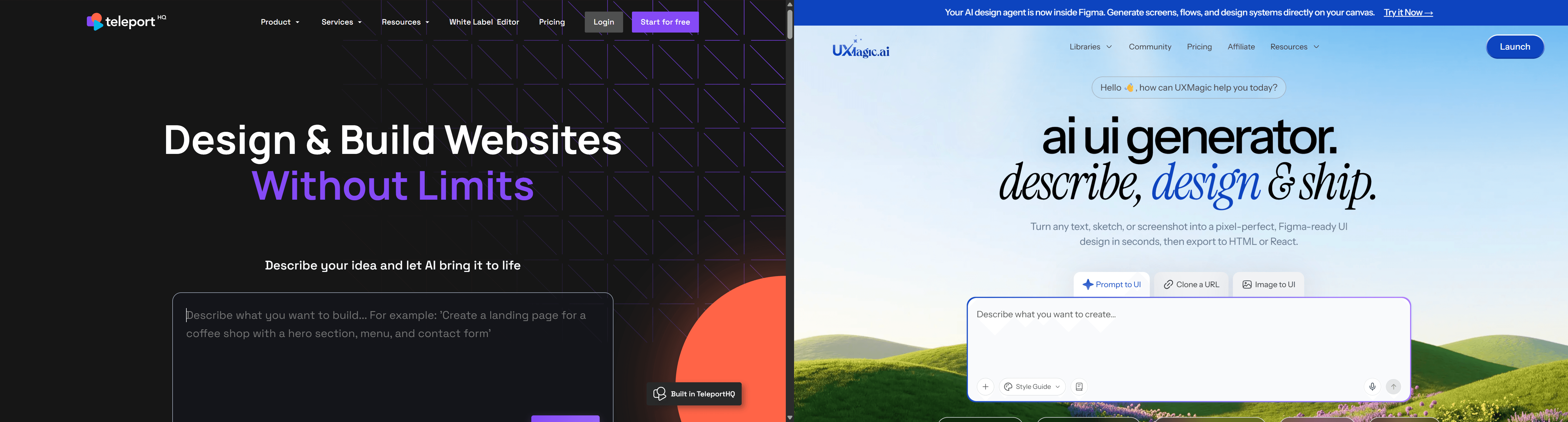
That's where UXMagic sits differently. It generates complete, multi-screen user flows directly from raw text specifications, for teams who'd rather not spend weeks on manual canvas drafting before a handoff tool even runs.
It's also an architectural difference in what actually gets produced, not just how you get there. Where TeleportHQ focuses on making code visually match the canvas sometimes via absolute positioning, depending on the source file, UXMagic focuses on generating clean flexbox, semantic design tokens, and modular multi-screen states as the default output, not an outcome that depends on how careful the original Figma file happened to be.
The consistency problem gets addressed the same way. TeleportHQ treats each page as a static, isolated document, which is exactly where multi-screen application flows tend to drift; nothing enforces the same layout logic or design tokens from one exported screen to the next. Flow Mode maintains those design tokens and global layout logic automatically across every screen in a generation, addressing the structural gap a page-by-page static exporter isn't built to close.
Real-World Workflow: Integrating Design-to-Code Into Production
Upstream preparation. Before any export tool runs, designers manually construct canvas layouts in Figma, converting every frame into auto-layout groups with rigid token naming. Skip this discipline, and TeleportHQ defaults to absolute spatial positioning to export a predictable outcome that traces back to this step, not a random failure.
Execution and export. Designers import Figma frames via the plugin, generate a layout through the integrated ChatGPT builder, or upload a screenshot or sketch directly, then tweak typography and breakpoints in the drag-and-drop editor before selecting a target framework. Non-technical users frequently find the CSS configuration panels here challenging to navigate, while developers can burn through token allowances making what should be minor structural adjustments.
Integration and refactoring. Developers pull the exported code into a local IDE and spend real hours rewriting absolute-positioned containers into flexbox, converting inline styles into shared classes, and componentizing hardcoded markup before they can even start on application state, form validation, or API integration.
A non-technical founder building an MVP dashboard hits this pattern directly. Importing a template and using AI prompting builds a multi-page site fast but connecting custom database forms requires low-code setup that exceeds their technical comfort level, and the generated markup lacks functional UI state transitions (active dropdown states, loading skeletons, form error states) that need manual code edits regardless of how good the initial visual export looked.
Upstream flow ideation matters more than downstream markup export, and this is a point most reviews miss. The major operational drag in product development often happens before code export teams spend weeks on static canvas variations in Figma long before a handoff tool even runs. Automating the design-to-code conversion optimizes the last mile while leaving that earlier bottleneck untouched.
Generate Structured UI Flows
Stop fixing messy exports. Try UXMagic free and create multi-screen flows with clean component architecture from the first prompt.