Output Comparison
Design a modern SaaS analytics dashboard with a sidebar, KPI cards, line chart, and user activity table. Clean, professional, fintech-style UI.
UXMagic
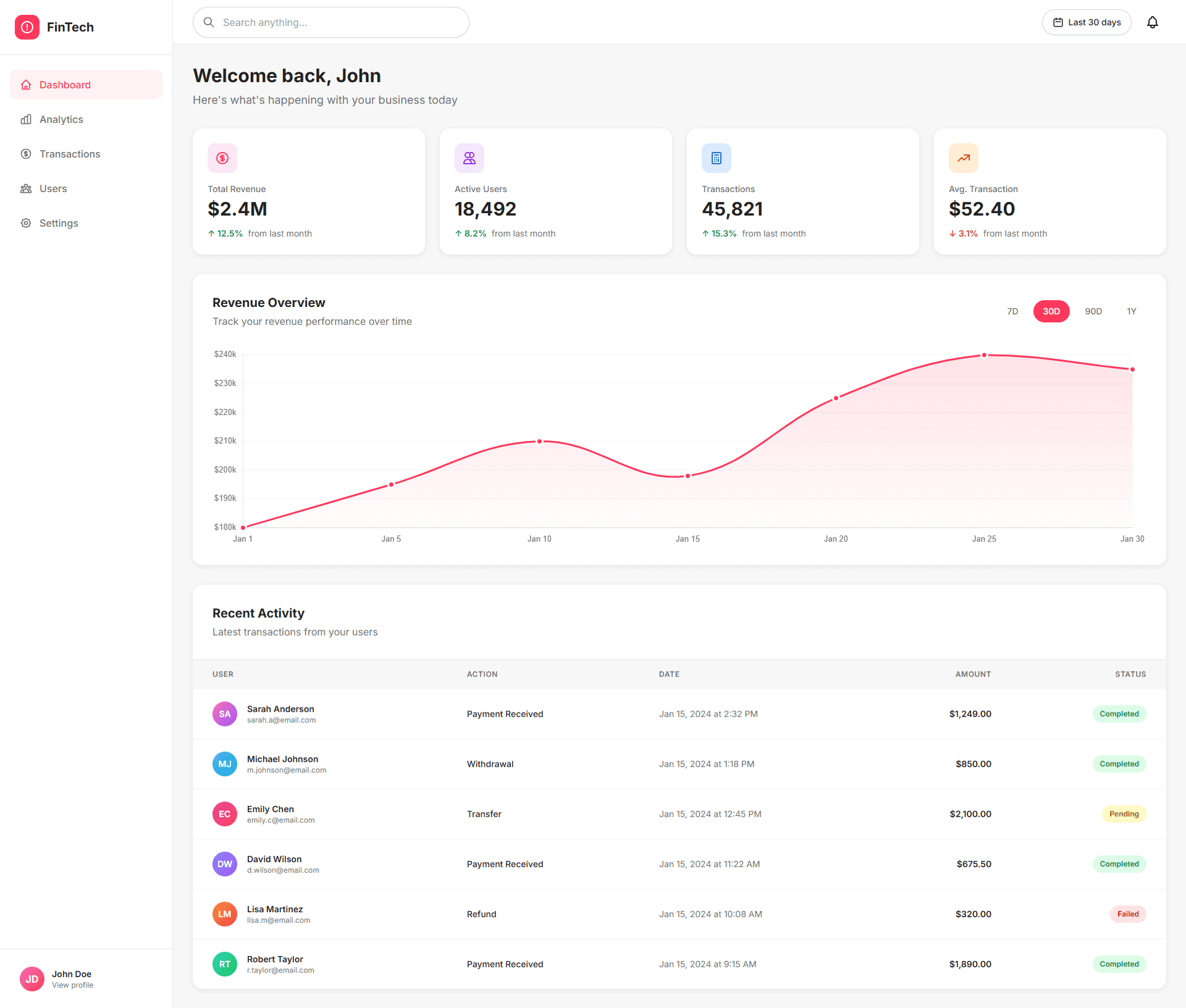
Very clean visual hierarchy – the KPI cards, graph, and recent activity are instantly scannable, which is perfect for first-time users.
Strong use of color for status (green growth, red drop, badges like Completed/Failed) makes decision-making fast and intuitive.
Feels slightly “generic SaaS template” – nothing very distinctive in branding or layout that makes it memorable.
The revenue graph dominates too much vertical space; secondary insights (like user behavior or segmentation) feel buried.
Visily
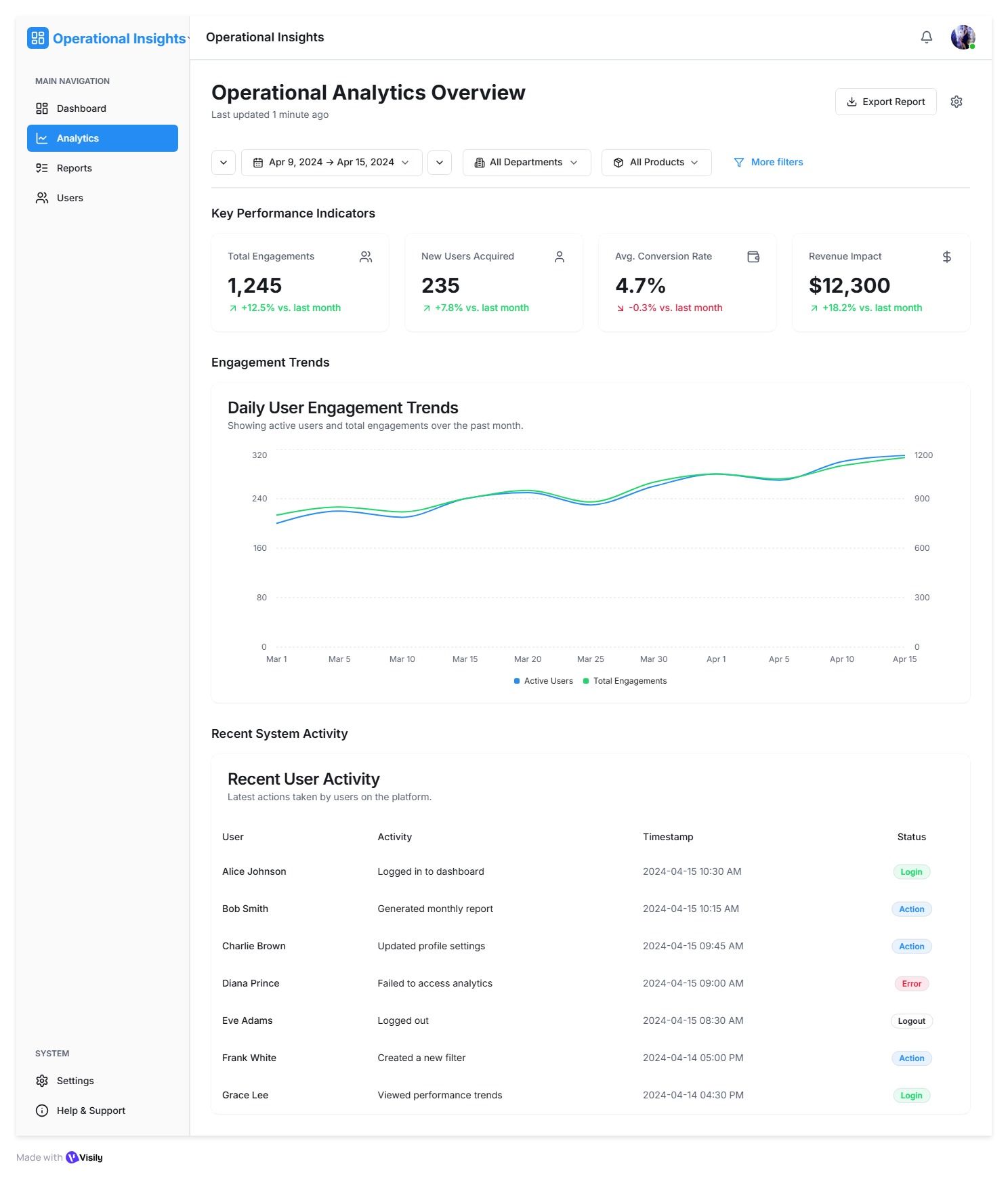
Excellent information density without feeling cluttered – filters, KPIs, trends, and tables are well structured for analytical users.
Professional, enterprise-ready layout; the date range, department, and product filters make it feel powerful and scalable.
Visual personality is weak – very functional but emotionally flat, no strong brand character.
Too text-heavy for quick glances; compared to UXMagic, it requires more cognitive effort to extract “what changed today?”.
Create a startup landing page with a hero section, feature grid, pricing cards, testimonials, and CTA. Minimal, modern, responsive layout.
UXMagic
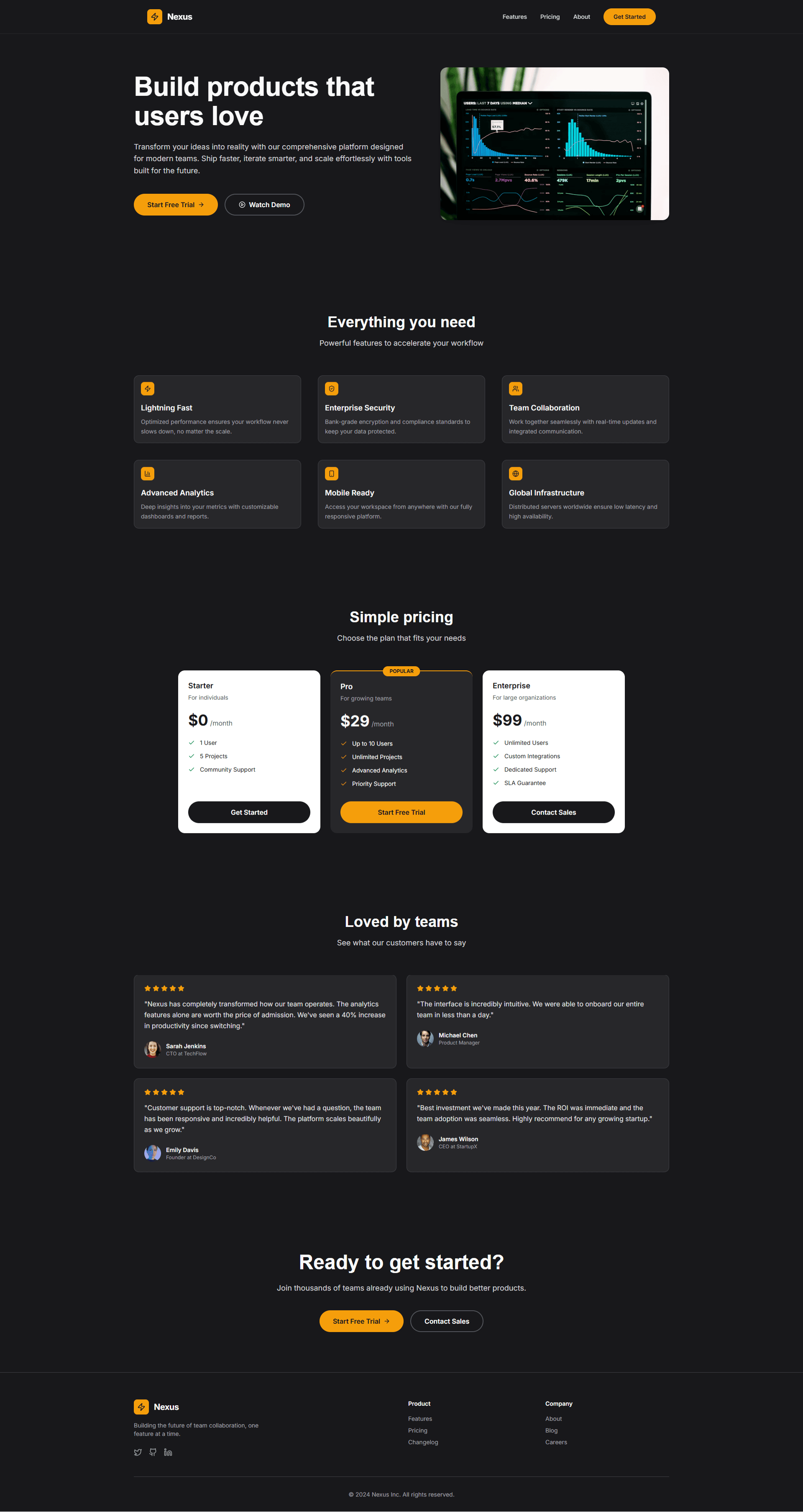
Strong visual impact and modern SaaS positioning – the dark theme with yellow accents feels premium and “AI-first”.
Clear conversion focus: bold CTAs, social proof, and pricing emphasis guide users smoothly toward action.
Slightly overwhelming for first-time users – too many elements compete for attention above the fold.
The heavy dark UI can feel intimidating or “too technical” for non-designer / non-startup audiences, reducing mass appeal.
Visily
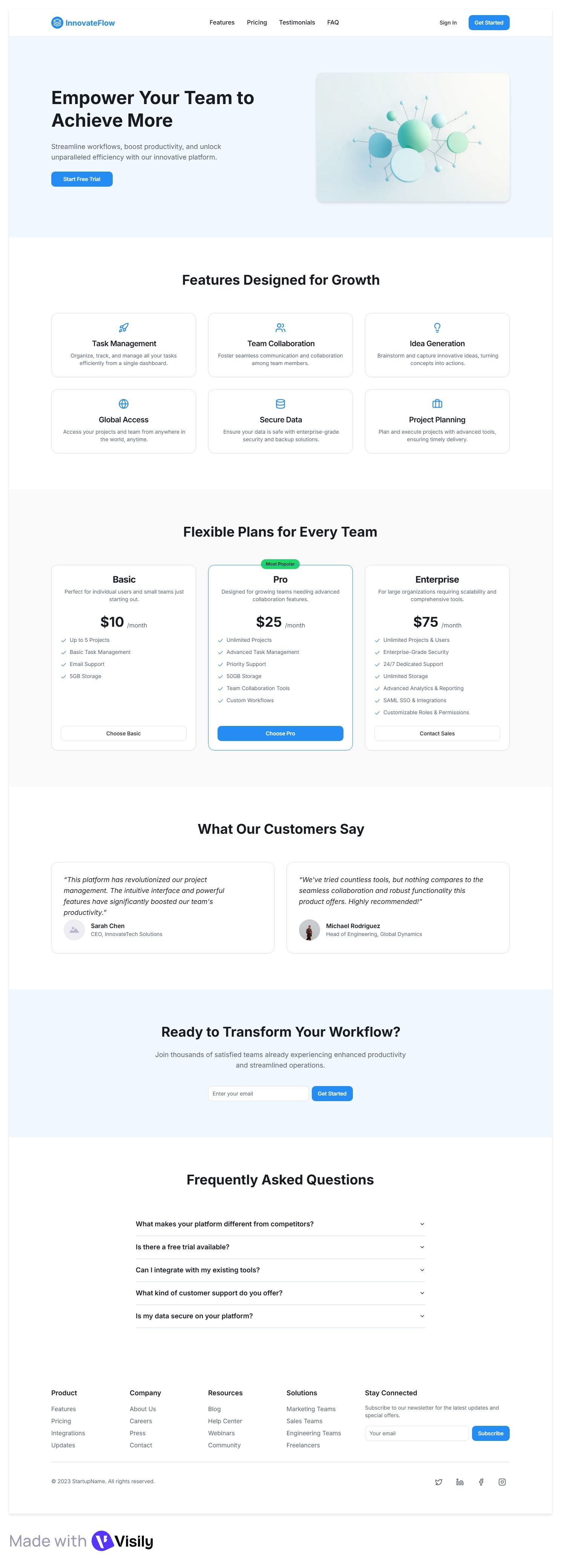
Very clear, beginner-friendly structure – hero → features → pricing → testimonials → FAQ → CTA. Perfect for non-technical or SMB audiences.
Soft colors and spacing make it feel trustworthy and easy on the eyes, good for long scrolling.
Looks extremely generic – could be any productivity tool; no strong visual identity or emotional hook.
The hero visual is abstract and doesn’t communicate the product value clearly (no real UI, no use-case context).

UXMagic
UXMagic is an AI-powered Structure & Ship platform built to eliminate the painful gap between design and development.
Instead of generating flat visuals, UXMagic creates structured UI systems -auto layouts, components, and even React or HTML code- so what you design is actually usable in production.
Prompt → UI → Code
Screenshot or URL → Editable Figma
Built for speed, structure, and scalability
Learn more about how it works

visily
Visily AI positions itself as an AI Workflow Design tool focused on collaboration and ideation.
It helps non-designers quickly visualize ideas, convert sketches or screenshots into editable boards, and collaborate in real time - similar to a UI-focused Miro or FigJam replacement.
Visily shines in early-stage thinking, workshops, and alignment -but intentionally stops before production code.
Feature Comparison
| Feature | UXMagic | Visily |
|---|---|---|
| Prompt to UI | Generates structured layouts with auto layout | Generates high-fidelity design boards |
| Screenshot to UI | Rebuilds into editable, structured Figma | Converts screenshots into smart components |
| URL to UI | Clones live websites into Figma | Not available |
| Export Options | Figma, React, HTML | Figma only |
| Style Guide | Persistent, reusable style systems | Design Instructions per project |
| Component Editing | Agentic + sectional editing | Drag-and-drop smart components |
| Figma Plugin | Native, structure-first | Acts as a feeder into Figma |
| Production Readiness | Built for shipping | Built for ideation |
Use UXMagic if you are:
Pricing Comparison

Free – $0
30 credits, 5 projects, 1 Figma export, UI Design, Wireframe Mode, Sectional Editing
Premium – $17.5/month
480 credits, 20 projects, 80 Figma export, Export Code, UI Design, Wireframe Mode, Screenshot to UI, Sketch to UI, Text Editing & Upload images, Sectional Editing
Ultimate – $35/month
1500 credits, Unlimited projects, 250 Figma export, Export Code, UI Design, Wireframe Mode, Screenshot to UI, Sketch to UI, Import your Figma Components/Design Systems, Clone your site, Text Editing & Upload images, Sectional Editing

Free – $0
2 editable boards per workspace Limited elements per board 300 AI credits / workspace / month 150 template credits / workspace / month
Pro – $14/editor/month
Everything in Starter plan Unlimited boards and elements Private folders and boards 3, 000 AI credits / editor / month AI design instructions; AI deep design 8, 000 template credits / editor / month Synced templates 5 custom fonts Basic workspace library 7-day version history; 30-day data recovery Figma export; export with no watermark
Business – $29/editor/month
Everything in Pro plan SAML SSO Custom teams 10, 000 AI credits / editor / month Unlimited template credits Unlimited custom fonts Workspace library 30-day version history; 90-day data recovery Priority support
Final Verdict
This isn’t a feature battle, it’s a workflow decision.
UXMagic is built for execution, structure, and real product shipping
Visily AI is excellent for collaborative ideation and semantic design thinking
That’s why more teams looking for a serious Visily AI alternative eventually move to UXMagic.
got questions?we have answers.
For production work, yes. In the UXMagic vs Visily AI comparison, UXMagic is better for structured design and code output.
Absolutely. Especially if you need Figma structure, React export, or real UI shipping.
Visily focuses on design boards, not production code or structured exports.
UXMagic. It’s built for developers and technical designers who want speed and structure.
Yes. Visily AI is a UI design generator focused on ideation, collaboration, and semantic design.



Related comparisons
Weighing up more than one tool? Here is how UXMagic compares against the closest alternatives.