TL;DR: Cloning a website means extracting its real structure into an editable file, not just taking a screenshot. Most tools either scrape the DOM blindly, creating messy “div soup,” or generate code without a design file, causing drift. UXMagic reads layout intent, producing a structured Figma file on the first pass. Use cloning for structural benchmarking only strip brand identity before building on top of it.
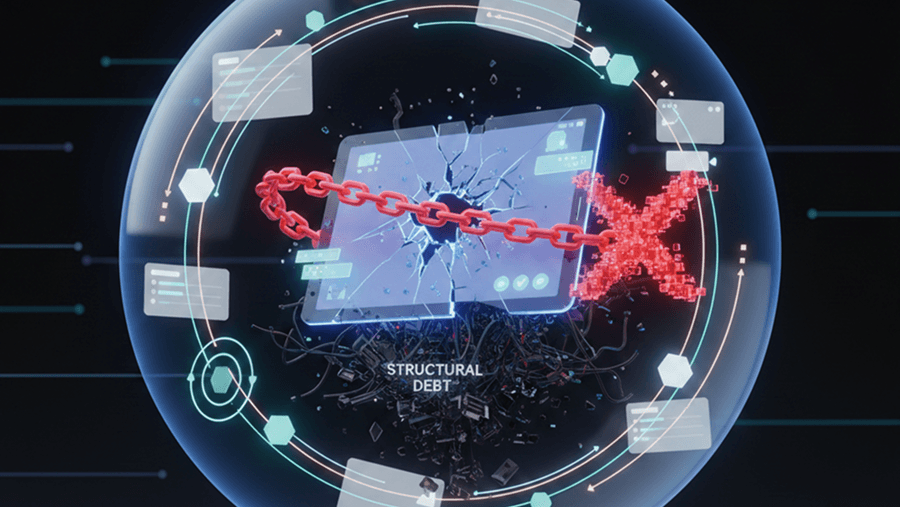
There is nothing more infuriating than running an AI website cloner, waiting for the extraction to finish, and realizing the tool just dumped 400 absolute-positioned frames named "div" onto your Figma canvas. If cloning a website with an AI tool forces your team to spend three hours untangling broken layers just to add auto-layout back in, it isn't saving time - it's inventing a new, particularly toxic form of technical debt.
You already know the difference between a flattened screenshot and a real, layered vector file. This isn't a primer on what Figma is. It's what website cloning actually is, why most tools that do it produce garbage, and exactly how a live URL should turn into a real, editable design file.
What Is Website Cloning, Actually?
Website cloning is the process of taking a live, already-published page and reconstructing it as an editable design file or codebase - not a picture of it, an actual structured version you can open, resize, and rebuild from. That distinction matters more than it sounds: a screenshot dropped into Figma is not a clone, it's a reference image with nothing underneath it.
Reverse-engineering a high-performing layout used to mean static screenshots, manually drawn vector rectangles, and hand-typed CSS variables. AI cloning exists to skip that reconstruction labor.
The correct use of a website cloner is structural benchmarking, not deployment. Common advice treats cloning as a final step: steal a layout, swap the logo, ship it. That's both legally dangerous and practically inept. The defensible version extracts the underlying wireframe skeleton and spacing scale of a page that's clearly converting well, strips the brand identity entirely, and injects your own design system on top. Shipping a direct clone is the mark of an amateur - the value was never the pixels, it was the structural logic underneath them.
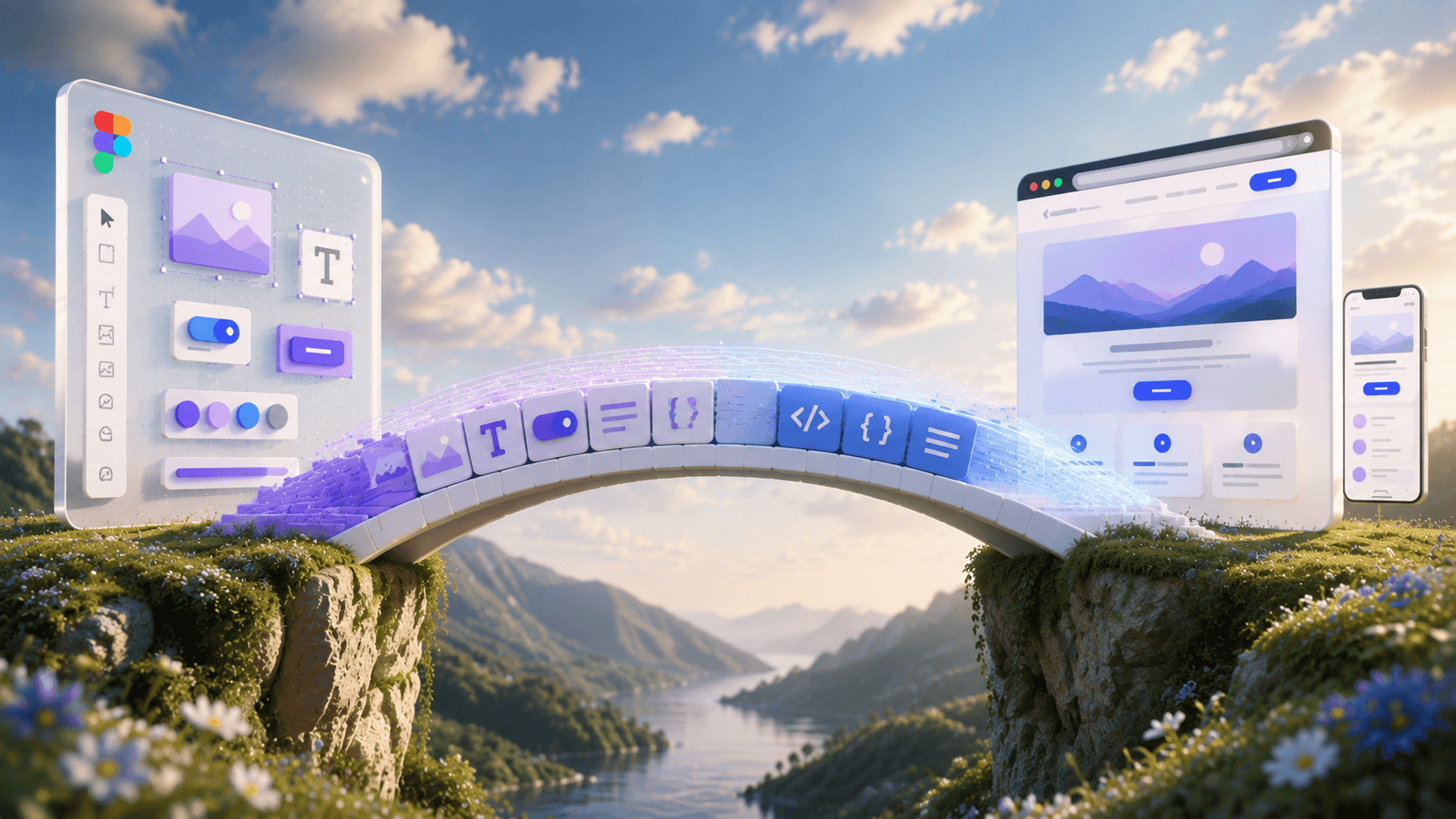
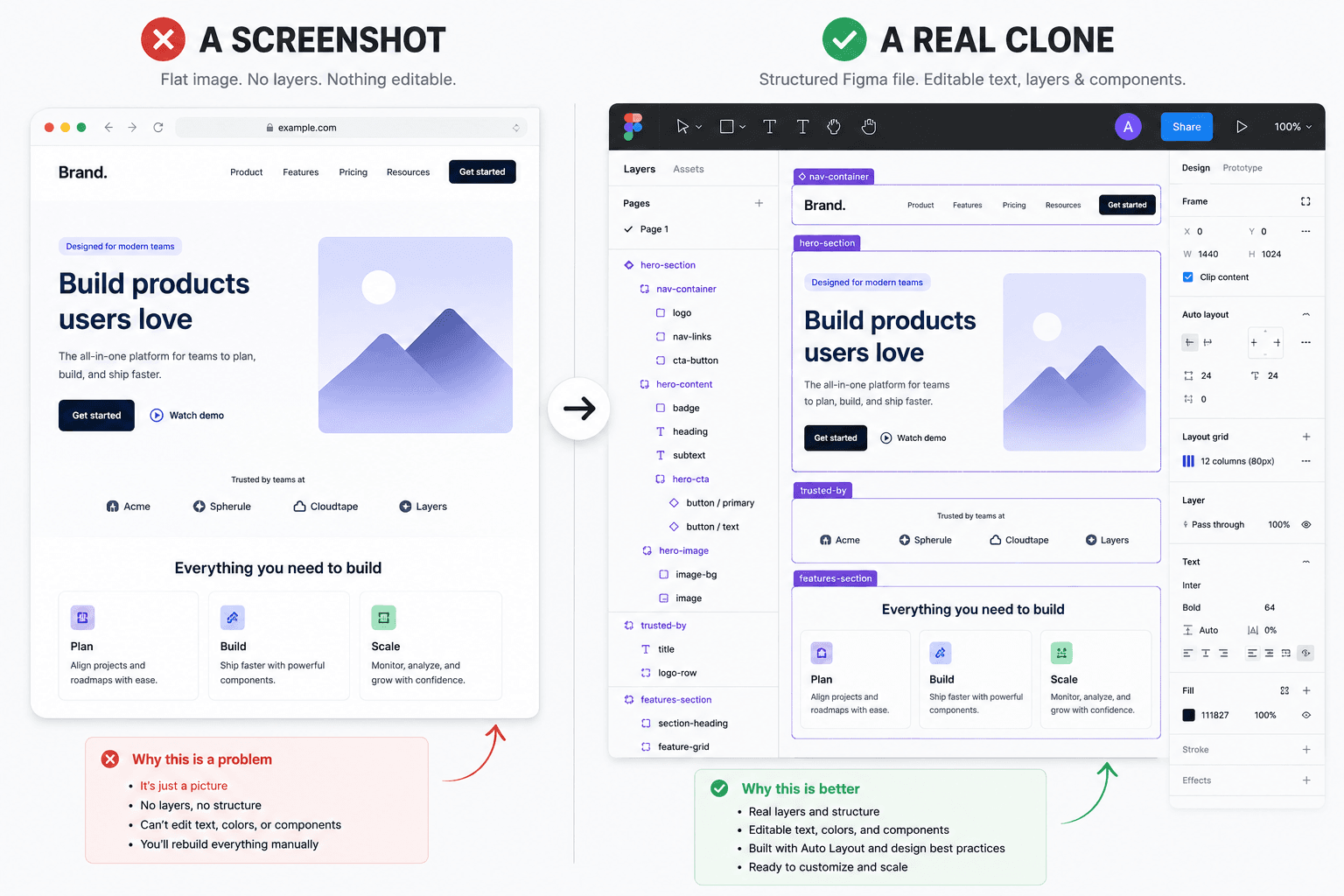 "A screenshot vs. a clone - only one of these you can actually build with."
Key takeaway: A clone isn't a picture of a page. It's a page you can edit.
How Everyone Else Does It (And Why It Breaks)
Most tools in this space fall into two camps, and both fail in predictable, specific ways.
Camp one: basic DOM scrapers (html.to.design, UX Pilot, most browser-extension plugins). These pull raw DOM data straight into Figma layers.
The problem is they don't interpret anything - they copy exactly what's there, flaws included. Feed one a page with sloppy source markup, and you get dozens of absolute-positioned, unlabeled frames named "Frame 402" and "Rectangle 12," nested six levels deep.
90% of these tools are effectively selling you a paywall for bad auto-layout. If a cloning tool can't map CSS flexbox onto Figma's native auto-layout engine, it's worse than useless - you'll spend longer fixing the file than you would have spent building it from scratch.
Camp two: prompt-first "vibe coding" tools (Same.new, Lovable, Bolt.new). These skip the design file entirely and generate React or Next.js code directly from a URL or prompt.
It's a fun trick for a weekend hackathon and an architectural disaster for a real product. Without a Figma source of truth locking down design tokens, every new prompt mutates the layout unpredictably. Ask for a pricing section, and the tool hallucinates a different typography scale and quietly breaks the nav bar it built two prompts ago. There's no source of truth to check the drift against - a failure mode covered in more depth in how designers are actually using AI in real production workflows.
A few more specific ways cloning tools fail across both camps:
- Interactive states get missed entirely. Most tools capture one static viewport. Hover states, an expanded mobile menu, a multi-step modal - none of it gets extracted, leaving a fragmented component library you still have to build by hand.
- Repeating elements don't get componentized. Twelve identical pricing cards come back as twelve disconnected frames instead of one master component with instances. Change the corner radius, and you're clicking through all twelve manually.
- Third-party widgets get baked in permanently. Cookie banners, Intercom chat bubbles, marketing popups - basic tools capture whatever's rendered on the page indiscriminately, including tracking scripts converted into grouped vector layers sitting in your hero section.
- Screenshot-based tools guess instead of extract. Image-to-UI models have improved, but a screenshot forces the AI to guess font weights, hex codes, and spacing visually, throwing away the most valuable data available: the live DOM and its computed CSS.
- Full-stack AI builders can go further and cause real damage. Tools attempting to autonomously modify backend architecture to match a new UI have been known to trigger unwanted database migrations - turning "clone a competitor's dashboard" into a corrupted production environment.
How UXMagic Turns a Live URL Into a Figma File
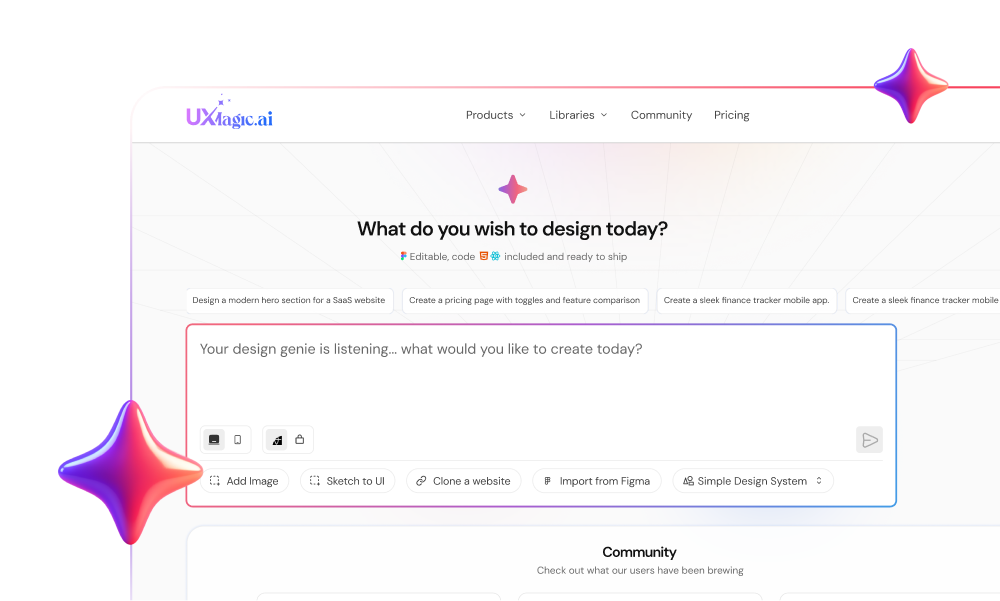
UXMagic's clone-any-website feature works from the same starting point as every other tool - a live URL - but the extraction step itself is fundamentally different, which is why the output doesn't need hours of cleanup before it's usable.
Step 1. The URL gets read, not just scraped. Instead of pulling raw DOM nodes and dumping them as-is, UXMagic reads the live page's actual computed CSS - exact hex codes, font weights, and spacing values, the same precise data a screenshot can only approximate.
Key takeaway: Real CSS values in, not visual guesses.
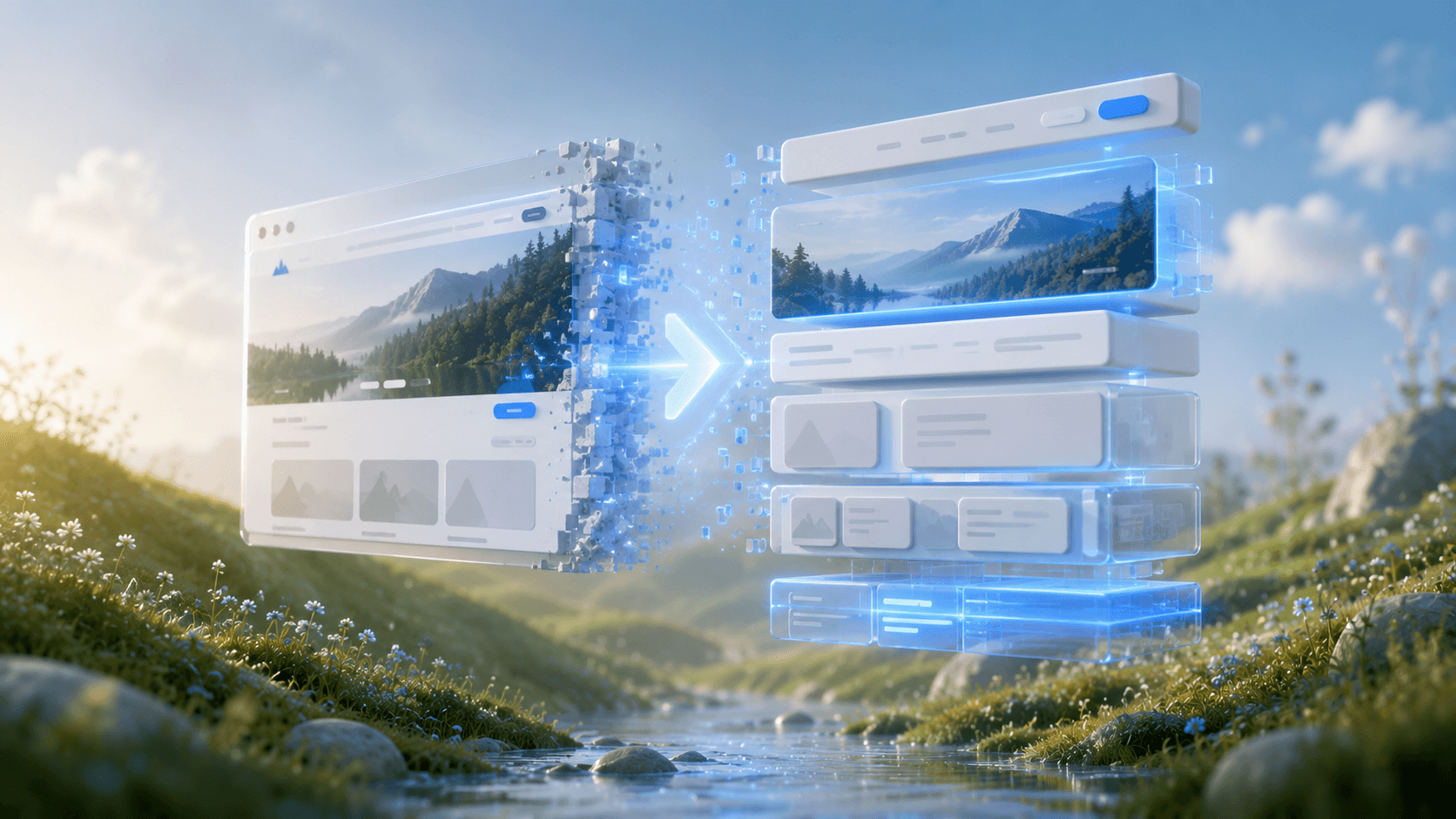
Step 2. Layout intent gets interpreted, not copied. This is the core difference from a basic scraper. Rather than preserving whatever messy markup structure the source site happens to use, UXMagic identifies what each section of the page is actually doing - a navigation bar, a hero section, a pricing grid - and reconstructs it as a logical, named Auto-Layout frame, the way a designer building the file by hand would structure it.
Key takeaway: The tool asks "what is this section for," not just "what does it look like."
Step 3. Repeating elements get componentized automatically. A row of twelve identical feature cards doesn't come back as twelve disconnected frames - it gets recognized as one repeated pattern and generated as a Main Component with instances, so a single edit updates every card.
Key takeaway: Edit once, update everywhere - no manual duplication cleanup.
Step 4. The output lands in Figma, ready to paste in. No absolute positioning to hunt down, no unlabeled layers to rename, no cookie-banner artifacts baked into the hero section. Once the clone is generated, getting it into Figma is literally copy and paste - select it in UXMagic, Cmd/Ctrl + C, then Cmd/Ctrl + V directly into an open Figma file. No export dialog, no file conversion, no separate download step.
Key takeaway: Editable Figma file in one paste, not five cleanup sessions.
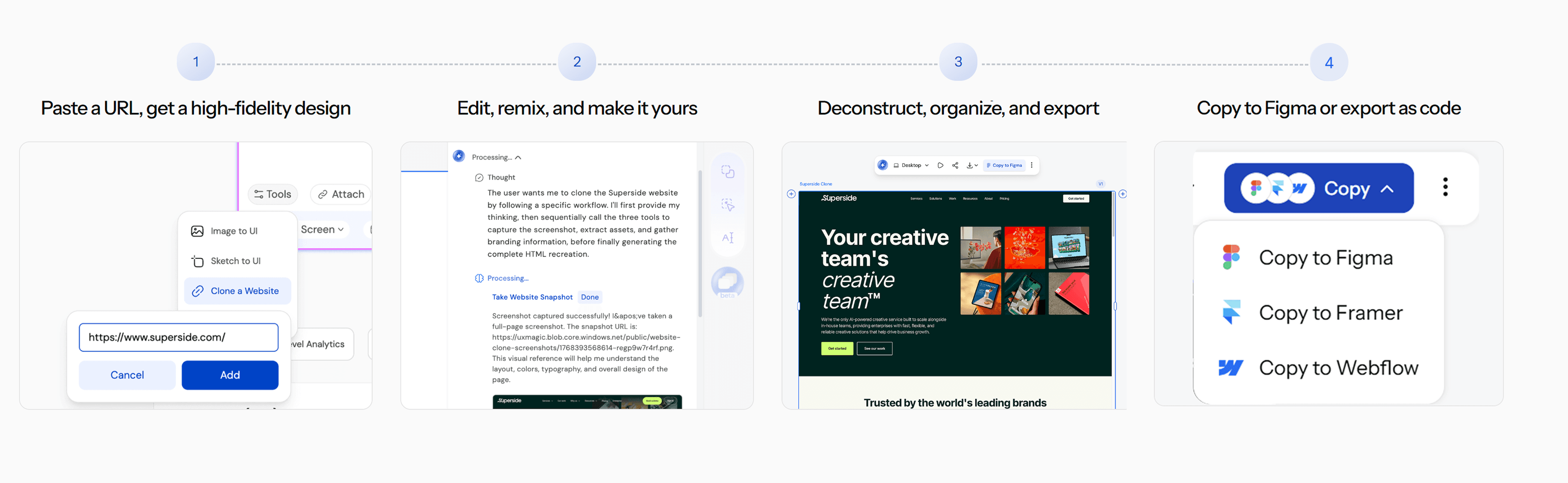 "One pass. Four steps. No cleanup marathon."
Why UXMagic Is Better Than Other Cloning Tools
The honest comparison, category by category:
| Feature | Basic DOM Scrapers | Vibe-Coding Tools | UXMagic |
|---|---|---|---|
| Output | Raw, unstructured Figma layers | React/Next.js code, no design file | Structured, editable Figma file |
| Auto-layout | Absolute positioning, manual fixing required | N/A - no design file exists | Applied automatically, matches source CSS logic |
| Repeating elements | Disconnected duplicate frames | Inconsistent across prompts | Componentized automatically |
| Design system stability | None - every clone is a one-off | None - mutates with every prompt | Vector file stays the source of truth |
| Third-party widget handling | Captured indiscriminately | N/A | Doesn't get baked in as permanent layers |
| Path to code | Manual rebuild required first | Immediate, but fragile | Export happens after structure is locked |
The pattern underneath all of this: basic scrapers optimize for completeness (capture everything, however messy), vibe-coding tools optimize for speed to code (skip structure entirely), and UXMagic optimizes for what a real product team actually needs afterward - a file someone can build on for months, not just look at once. That's the difference between a tool that clones a page and a tool that clones a page usably.
The Manual Workflow (If You're Not Using UXMagic)
If you're working with a basic scraper or building this process by hand, here's what it actually takes to get a clean file:
Step 1: Pre-clone auditing. Dismiss every piece of third-party interference on the live page first - cookie banners, modal popups, chat widgets. If the page uses lazy-loaded images, scroll to the bottom before capturing, so every element has actually been rendered.
Step 2: Extract per viewport. Capture desktop, tablet, and mobile as separate jobs rather than one massive capture, so responsive breakpoints map correctly. Capture interactive states - an open menu, an expanded accordion - as their own passes if you want a complete component library.
Step 3: Clean up and verify auto-layout. Stress-test every imported frame by resizing it horizontally to confirm "Fill Container" and "Hug Contents" actually match the original flexbox behavior. Componentize any repeating elements - never leave twelve identical cards as twelve separate frames. Bulk-map imported fonts to your own type tokens.
Step 4: Inject your design system, export last. Apply your own brand tokens - colors, radii, spacing - on top of the cleaned structure. Only then push the validated UI to React, HTML, or Next.js via Figma to code, which is what actually guarantees parity between the design file and what engineering ships. For teams building this into a repeatable process, our breakdown of the best prototyping tools for 2026 covers how this handoff step fits into a broader workflow.
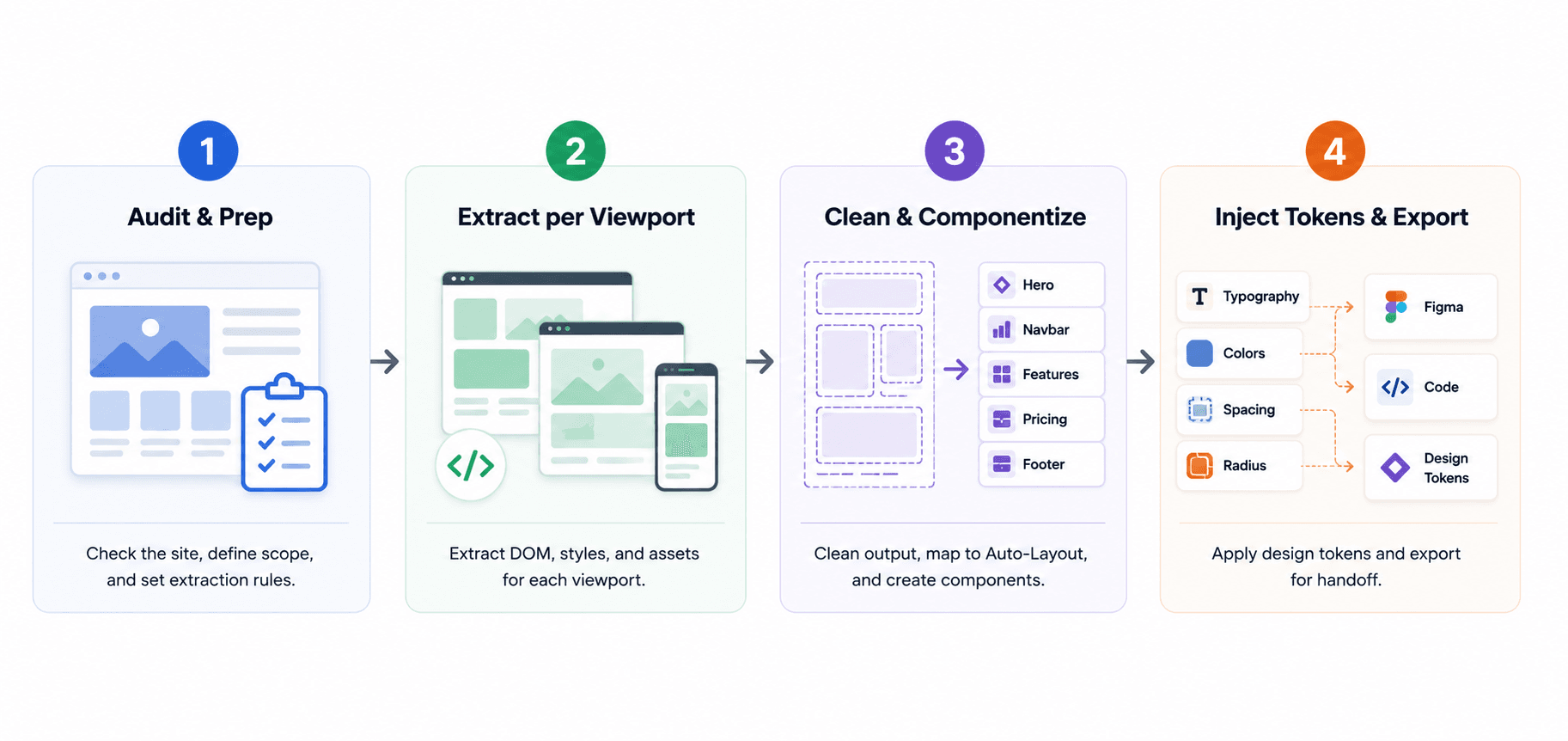 "The manual version of what UXMagic does in one pass."
The Legal Boundaries: Copying vs. Benchmarking
Directly copying a competitor's proprietary brand assets, source code, or specific copywriting is copyright infringement - full stop. The legally defensible use of cloning is extracting underlying structural wireframes and UX patterns, not the finished, branded product sitting on top of them.
In practice, that means every piece of proprietary copywriting, brand coloring, and distinct visual styling needs to be scrubbed from the file before it becomes anything more than a reference. Strip the cloned layout down to a naked wireframe - pure structure, no brand identity - and only then treat it as a legitimate benchmark before injecting your own company's design system on top of it.
If you clone a Stripe layout and just swap the logo and primary color, you haven't benchmarked structure - you've kept everything that actually makes the layout theirs.
This is for informational purposes only. For legal advice regarding copyright infringement, intellectual property, or fair use, consult a qualified legal professional.
3 Real-World Use Cases for AI Layout Cloning
The legacy redesign rescue. A B2B company is migrating a five-year-old WordPress site to Next.js. The original agency is gone, and the Figma source files went with them - the live site is the only remaining reference.
Rather than a junior designer spending three weeks measuring pixel distances off a second monitor, a URL-to-UI clone extracts the exact computed CSS and hex codes directly, recovering the production baseline in hours.
The competitor audit and benchmark. A competitor redesigns their onboarding flow and pricing page, and conversion jumps noticeably. Instead of guessing at what changed, the team clones the URL directly into raw vector format, then strips out every piece of typography, brand color, imagery, and copy - reducing it to a naked wireframe.
From there they can actually analyze the spacing scale and placement logic behind the pricing tiers, then map their own design system onto the same validated structure.
Escaping the vibe-coding dead end. A founder used a prompt-based tool to generate a React landing page fast. It looks fine in the browser, but engineering won't build on top of it - there's no underlying vector system, and the CSS is a tangle of inline styles and hallucinated tokens.
Cloning the founder's own live page back into structured Figma layers performs a genuine code-to-design rescue: proper design tokens get extracted, padding gets standardized, and the team moves forward on a scalable foundation instead of building further on an already-mutated codebase.
Stop Untangling Div Soup
Stop untangling 400 absolute-positioned divs by hand. Try UXMagic's website cloner free and get a properly structured, auto-layout-native Figma file from any URL.