Most product teams confuse a Minimum Viable Product with a broken, half-built software application. Compressing a massive roadmap into an aggressive release window usually yields an unviable interface that alienates early adopters instead of validating anything useful. True MVP success requires reducing scope without damaging the core user experience - the "minimum" and the "viable" are not in tension, they're both non-negotiable.
You already know products need user validation and that agile methodologies exist. This isn't a glossary entry. It's the practical friction point you're actually stuck on: how to maintain interface quality while drastically reducing feature scope, without shipping something that just measures user tolerance for bad software.
The MVP Process, Visually
Idea → Hypothesis → Core Flow → MVP → User Feedback → Iteration
That's the whole loop. Every section below maps back to one of these six steps - skipping straight from "Idea" to "MVP" without isolating a real hypothesis or mapping the core flow first is the single most common way teams end up building the wrong thing fast instead of the right thing fast.
Defining the MVP: Validated Learning Over Feature Scoping
What Is an MVP in Software Development?
An MVP is the leanest functional version of a software product released to capture validated customer learning with the least engineering effort - it tests core business assumptions through real market interactions, not speculative user surveys. The goal isn't "ship something," it's "learn something true, fast."
The Lean Startup Foundation: Maximizing Insight While Minimizing Waste
The skateboard-to-car analogy can be misleading for many digital SaaS products. The classic agile illustration - an MVP evolving from skateboard to scooter to bicycle to automobile - sounds intuitive but doesn't always map cleanly onto software. A user seeking an automated database orchestration utility gets zero functional value from a manual workaround presented as an interface. Digital products generally need to deliver the specific mechanism of value in their intended medium, not a lower-tier substitute that fails to solve the primary problem.
MVP vs. Prototype vs. MMP: Resolving Operational Confusion
| Category | Prototype | MVP | MMP |
|---|---|---|---|
| Purpose | Test an idea's feasibility | Validate real market demand | Scale into a complete offering |
| Users | Internal team or test users | Real early-adopter customers | Paying customers at scale |
| Functionality | Limited, often non-functional | Core flow actually works | Complete, polished feature set |
Prototypes and MVPs serve genuinely different operational goals. A prototype evaluates design feasibility, visual layouts, or user flows within a controlled internal testing setting. An MVP is a functional asset deployed directly to market users to gather actual behavioral data, retention metrics, and commercial validation. Conflating the two causes teams to mistake positive feedback in a user interview for real willingness-to-pay.
An MMP - Minimum Marketable Product - sits one step further along. It's what an MVP becomes once validation confirms the hypothesis and the product needs enough completeness to be sold and scaled, not just tested.
The Viability Principle: Why Poor UI Execution Corrupts User Testing Data
Reducing Feature Breadth Without Sacrificing Interface Trust
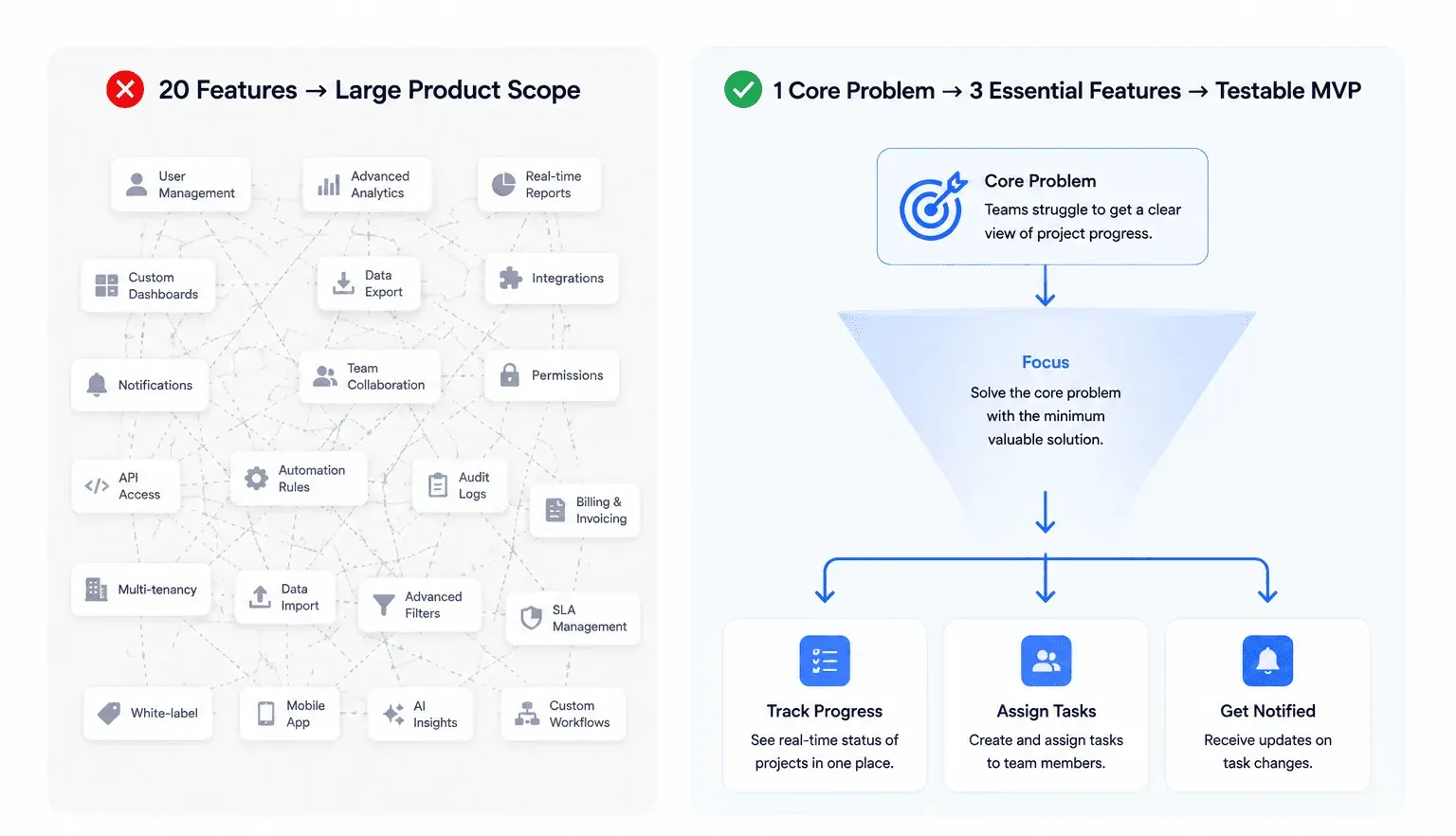
"Minimum" refers to feature breadth, never interface consistency. Stripping visual hierarchy, layout logic, and design system alignment out of an interface doesn't create a lean product — it creates UX debt that corrupts your research data. Users evaluate software credibility through visual execution and interaction patterns. An MVP built from five perfectly aligned, cohesive screens yields reliable behavioral data; an MVP with twenty inconsistent, visually disjointed screens yields noise caused by user friction and distrust.
Smoke-test buttons without immediate UI execution can inflict real brand damage. Inserting non-functional interface elements or "fake doors" to test click-through intent offers short-term quantitative validation, but burning early adopters with dead ends creates negative brand perception fast. Modern design tooling makes rapid interface deployment fast enough that this shortcut usually isn't necessary anymore.
Essential Components of a Functional User Flow
The bar for "viable" is straightforward: define viability by task completion rates, not feature volume. The core flow needs to let users achieve their primary objective without hitting broken states or non-functional buttons. Everything else can wait.
What Should NOT Be in an MVP
A dedicated list, since this is one of the most common points of confusion:
- Advanced settings - customization options users won't miss until they're already retained.
- Multiple user roles - permission tiers and access control add real complexity for a hypothesis that likely doesn't depend on them yet.
- Complex dashboards - a full analytics suite when a single completion metric would answer the actual question being tested.
- Automation before validation - building automated workflows for a process that hasn't been proven manually first.
- Rare edge cases - the account-deletion flow, the multi-currency conversion, the bulk-import tool - real requirements eventually, not day-one requirements.
The test for all five: does this feature help answer the one hypothesis being tested? If not, its scope creep is dressed up as thoroughness.
Real MVP Examples Worth Knowing
Buffer. Founder Joel Gascoigne published a simple landing page displaying social media scheduling features and pricing plans before writing underlying code. When users clicked payment options, a prompt collected their email addresses, validating commercial demand before development began.
Dropbox. Rather than building the full file-sync product first, an explainer video demonstrating how the product would work was released to gauge signup interest - a well-known example of validating demand through a demonstration rather than a working product.
Airbnb. The founders tested early demand by renting out air mattresses in their own apartment to attendees of a local conference, well before any booking platform existed - proving people would actually pay to stay in a stranger's home before building the marketplace around that behavior.
Figma. Figma's early development took an unusually long runway before a public MVP, largely because the core technical bet - real-time collaborative design running entirely in a browser - needed to actually work before the product had anything to validate. It's a useful counter-example: sometimes the "minimum" viable version of a genuinely new technical capability still takes real engineering time to prove out.
Step-by-Step Workflow: Scoping and Building an MVP in Days
Step 1: Isolating the Primary Business Hypothesis
Isolate the single riskiest assumption underlying the product concept - the core capability that must function for the product to deliver value at all. Everything that doesn't test that specific assumption is scope you can cut.
Step 2: Mapping the Essential User Path
Map the shortest path required for a user to experience that core value, explicitly omitting secondary interface elements. This is the scoping discipline that keeps "minimum" honest instead of becoming an excuse to cut corners on the flow that actually matters.
Step 3: Generating Multi-Screen UI Flows via AI
Rather than manually drafting wireframes screen-by-screen in Figma, input structured prompt specifications define the primary user flow directly. Converting raw text user stories into interconnected, multi-screen UI flows via Flow Mode eliminates manual wireframing entirely, while keeping spatial logic and navigation patterns consistent across every screen - a designer or PM audits the generated flow for component-style consistency rather than building it from a blank canvas.
Step 4: Deploying for Behavioral Validation
Integrate the functional UI flow into a lightweight development environment or interactive staging setup and expose it to target early adopters. Track quantitative conversion metrics, completion rates, and drop-off points within the primary flow - this data reveals whether drop-off stems from interface confusion or a genuine lack of interest in the underlying value proposition, which are very different problems with very different fixes.
Imagine validating a complete, multi-screen B2B SaaS workflow with active users forty-eight hours after finalizing product requirements. Traditional design handoffs and manual wireframing make that speed difficult, often forcing teams to commit weeks of engineering before testing basic hypotheses. Generative design workflows change that constraint by translating specifications directly into production-ready UI flows instead.
If analytics show users hitting friction at specific steps, modify the prompt parameters to regenerate improved flow variations quickly. If users complete the flow seamlessly but refuse to engage with pricing triggers or return for repeat sessions, pivot the core hypothesis without having burned months of front-end engineering labor finding that out.
Overcoming Common MVP Pitfalls in Agile Teams
How Long Does It Take to Build an MVP?
There's no universal number - it depends entirely on scope discipline, not team size. A tightly scoped MVP testing one hypothesis with a 3–5 screen flow can go from spec to testable in days using generative UI tools. An MVP that quietly absorbs feature creep can stretch into months, which is usually a sign the hypothesis was never properly isolated in Step 1.
How Much Does an MVP Cost?
Cost scales with scope and team structure more than with any fixed MVP formula. The real cost driver worth watching isn't the initial build - it's rework from skipped scoping discipline, where a bloated first version needs a second pass just to strip back down to something testable.
Managing Premature Scaling and Feature Creep
Feature creep during MVP scoping isn't really about ambition - it's about not having isolated the one hypothesis actually being tested. Every feature that doesn't test that hypothesis is scope creep, no matter how reasonable it sounds in a planning meeting.
Eliminating Visual Style Drift in AI-Generated Designs
Generic AI image generators and unspecialized design tools fail product teams during MVP creation in three specific ways:
- Visual style drift - unspecialized image generators create individual screens in isolation, resulting in mismatched typography, inconsistent color palettes, and varying button styles across a single flow.
- Non-standard component specs - standard AI image outputs produce static flat images that lack design system structure, auto-layout rules, or exportable code components.
- Flow fragmentation - generic tools can't map conditional multi-step interactions, forcing designers to spend hours manually aligning screens into a coherent user path.
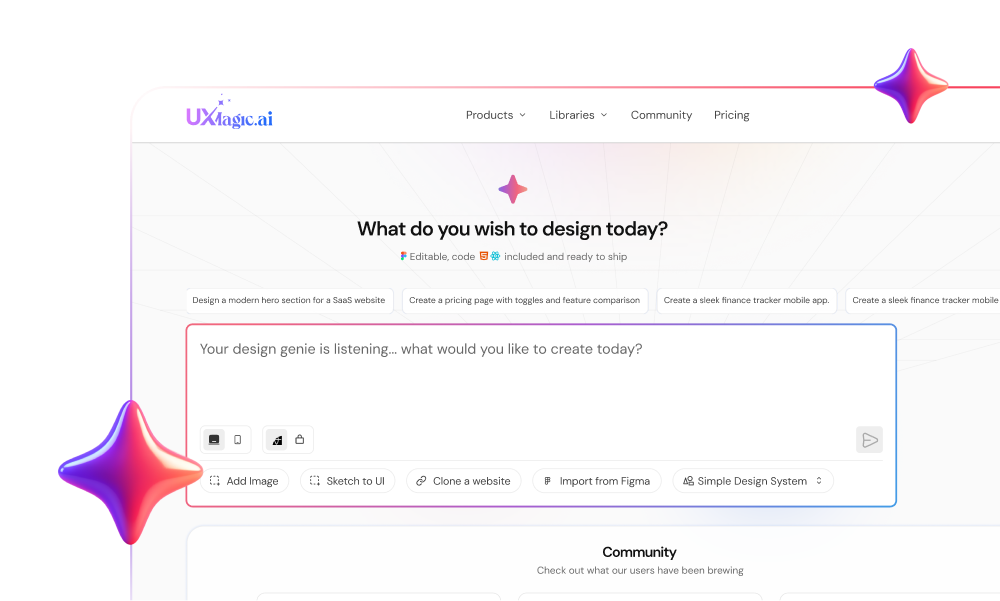
This is the structural gap that corrupts test data if left unaddressed. Unlike generic image tools that yield disconnected visual outputs, UXMagic maintains design system consistency across every iteration, so a team can strip out non-essential features without compromising the professional visual execution reliable user testing actually depends on. The AI MVP Builder is built specifically for this scoping problem - describe the core hypothesis and the essential flow, and every screen generates against the same design tokens, ready to test, pitch, or hand off, instead of the mismatched typography and drifting button styles generic tools produce screen to screen. If the MVP already has an established brand system, importing it directly keeps every generated screen anchored to real tokens instead of a generic default - genuinely useful when the MVP is a new flow inside an existing product, not a brand-new company.
Validate MVP Ideas Faster
Turn your core user story into a testable multi-screen flow and validate product assumptions before spending weeks on development.