UXMagic vs Paper.design: AI Design Generator or Collaborative Canvas?
UXMagic and Paper.design take different approaches to product creation. UXMagic turns prompts, sketches, screenshots, and URLs into editable designs and code, while Paper.design builds directly in the browser with real HTML, CSS, and live code sync. This UXMagic vs Paper.design comparison explores features, pricing, workflows, and use cases to help you choose the right tool.


Output Comparison: Side-by-Side Design Quality
Design a modern SaaS pricing page for an AI design platform. Create a single desktop screen that includes a hero section with pricing headline, monthly and annual billing toggle, three pricing tiers (Free, Pro, and Enterprise), feature comparison highlights, customer testimonials, FAQ section, trust badges, and prominent call-to-action buttons. Use a clean B2B design system with consistent spacing, strong visual hierarchy, reusable components, and conversion-focused design patterns.
UXMagic.ai
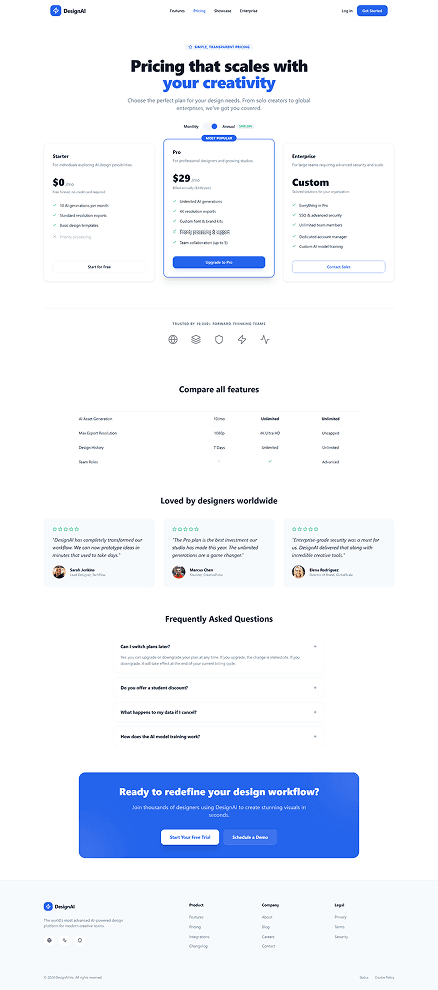
Clear pricing hierarchy makes plan selection easy.
Strong conversion-focused layout with all key sections included.
Generic SaaS pricing design with limited uniqueness.
Feature comparison lacks depth for decision-making.
Paper.design

Design a single-screen AI-powered project management dashboard for product teams. Include a sidebar navigation, project overview cards, active sprint progress, task board preview, team activity feed, upcoming deadlines section, and AI-generated recommendations panel. Use a modern SaaS aesthetic with clear visual hierarchy, reusable UI components, accessible typography, and a professional design system suitable for desktop users.
UXMagic.ai
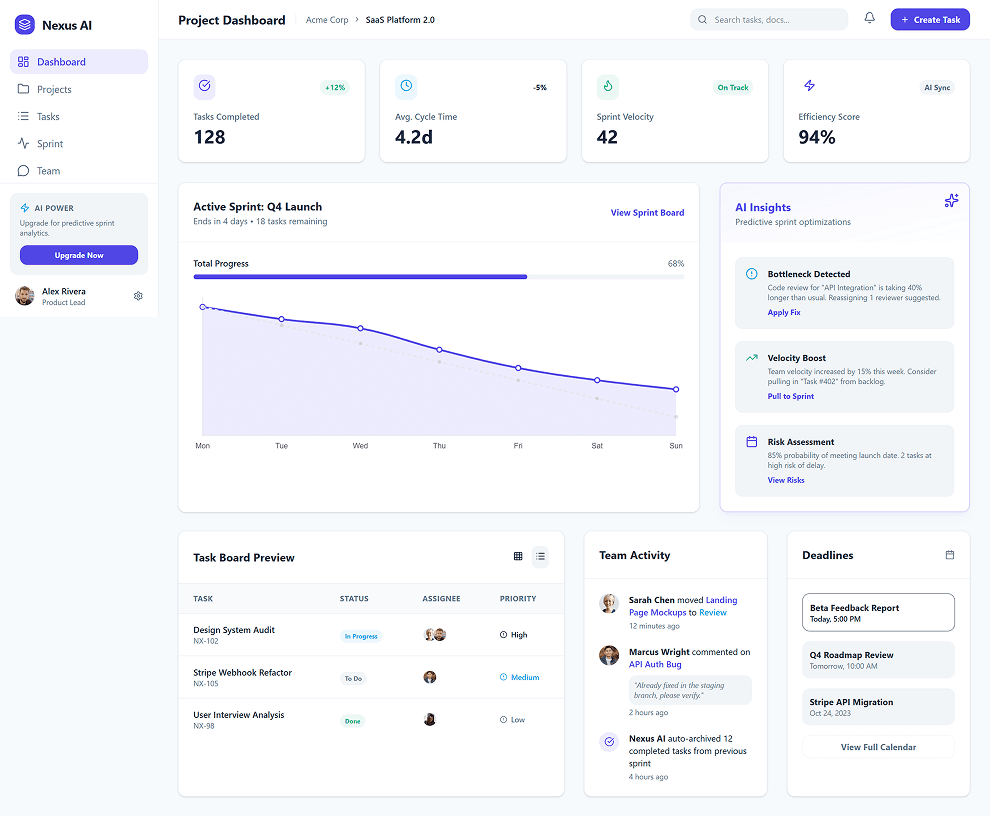
Well-organized dashboard with strong information hierarchy.
Realistic enterprise-grade UI with useful AI insights.
Slightly crowded layout with many competing elements.
Important actions could stand out more visually.
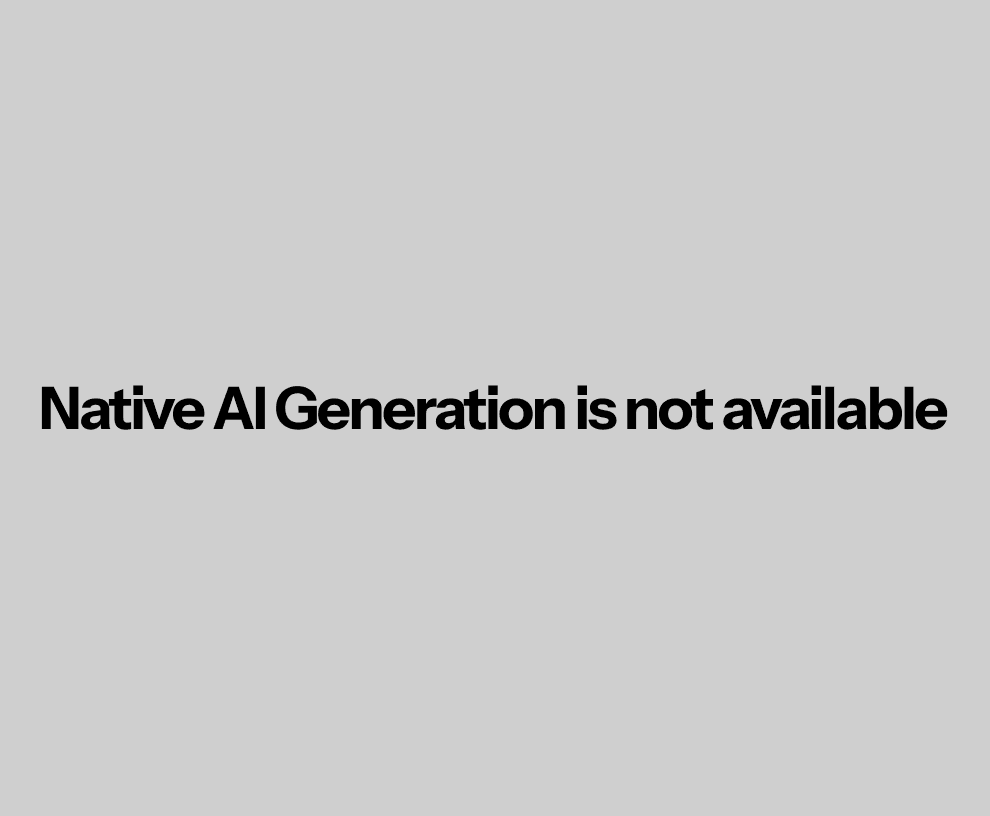
Paper.design
About UXMagic
UXMagic is an AI-powered UX and UI generation platform that transforms prompts, sketches, screenshots, and live websites into editable product designs and production-ready code. From generating complete user flows and design systems to cloning websites and exporting to Figma, React, HTML, Webflow, Shopify, and WordPress, UXMagic helps teams move from idea to launch faster. Explore the full range of features to see what UXMagic can do, or compare plans on the pricing page to find the right fit for your workflow.
About Paper.design
Paper.design is a browser-native collaborative design platform founded by Stephen Haney and Vlad Moroz. Unlike traditional design tools, Paper uses actual HTML, CSS, and DOM structures as its design canvas. Through its MCP-powered architecture, AI agents can interact directly with local codebases, making Paper especially attractive for engineering-led product teams. The Paper app focuses on reducing the gap between design and implementation by enabling designers and developers to work within shared browser-native constraints.
Feature Comparison
| Feature | UXMagic | Paper.design |
|---|---|---|
| Prompt to UI | Generates complete screens and flows instantly | No native prompt-to-flow generation |
| Screenshot to UI | Converts screenshots into editable layouts | Limited via Snapshot workflow |
| Sketch to UI | Built-in AI sketch conversion | Not a primary workflow |
| Website Cloning | Clone full websites into editable designs | Can copy portions via Snapshot extension |
| Figma Export | Auto Layout-ready Figma exports | Limited focus on Figma workflows |
| React Export | Production-ready React components | Native web code workflows |
| HTML Export | Clean export available | Native HTML/CSS canvas |
| Webflow Export | Supported | Not available |
| Style Guide Generation | AI-generated design systems | Manual setup and management |
| Component Editing | AI-powered sectional editing | Direct DOM-based editing |
| Real-Time Preview | Generated interfaces instantly previewable | Browser-native rendering |
| AI Editing | Built-in cloud AI copilot | Relies heavily on connected AI agents |
| Local Setup | Fully cloud-hosted | Requires desktop app and configuration |
| Multi-Screen Flows | Native Flow Mode generation | Manual assembly required |
Who should use UXMagic?
Pricing Comparision

Free – $0/month
5 projects, 30 free credits (one-time), upto 5 screens, 1 Figma export
Premium – $17.5/month
20 projects, 480 credits (monthly), upto 80 screens, 80 Figma exports, React/HTML exports
Ultimate – $35/month
Unlimited projects, 1500 credits (monthly), upto 250 screens, 250 Figma exports, unlimited React/HTML exports

Free – $0
100/week MCP tool calls
Pro – $16 per user/month
1M/week MCP tool calls
Final Verdict
The UXMagic vs Paper.design decision depends on how your team prefers to build digital products. Both platforms aim to reduce friction between design and development, but they take fundamentally different approaches. UXMagic focuses on AI-powered UI generation, rapid prototyping, and flexible exports, while Paper.design emphasizes browser-native design, code fidelity, and developer-centric workflows.
Choose Paper.design if your team operates in an engineering-led environment and prioritizes browser-native fidelity, direct code alignment, and workflows centered around tools like Cursor, Claude Code, Windsurf, and MCP servers. It is particularly well-suited for teams that want design assets to stay closely synchronized with production code throughout the development process.
Choose UXMagic if you want to generate complete UI flows quickly from prompts, sketches, screenshots, or live website URLs. It is ideal for founders, designers, agencies, and product teams that work heavily in Figma, need exports beyond web code, and value speed, flexibility, and platform portability. With features like website cloning, style guide generation, and multi-screen flow creation, UXMagic helps teams move from concept to production-ready designs faster.
UXMagic is redefining how ideas become products, while Paper.design is redefining how design connects to code. For most product teams, agencies, founders, and designers looking to accelerate design workflows and ship interfaces faster, UXMagic offers the more flexible and efficient path from idea to launch. Teams focused primarily on code synchronization and browser-native design workflows may find Paper.design a better fit for their needs.
got questions?we have answers.
UXMagic offers native prompt-to-UI generation, screenshot-to-UI conversion, sketch-to-UI workflows, and website cloning. Paper.design focuses more on browser-native editing and engineering workflows.
Paper.design is often preferred by developers because of its MCP architecture and direct code synchronization capabilities. UXMagic focuses more on rapid UI generation and export flexibility.
No. The Paper app includes Snapshot tools that allow portions of websites to be copied into the canvas. UXMagic can reconstruct complete public websites into editable Figma and code outputs.
Paper.design offers a fundamentally different workflow built around HTML, CSS, and code synchronization. Teams prioritizing browser-native design may prefer it, while traditional design teams often remain Figma-centric.
Most startups benefit from UXMagic because it accelerates ideation, prototyping, testing, and handoff without requiring specialized engineering workflows or local setup.









Related comparisons
Weighing up more than one tool? Here is how UXMagic compares against the closest alternatives.