Output Comparison
Design a modern SaaS landing page for an AI productivity tool with hero section, feature grid, pricing cards, and CTA. Clean layout, light theme, accessible typography.
UXMagic
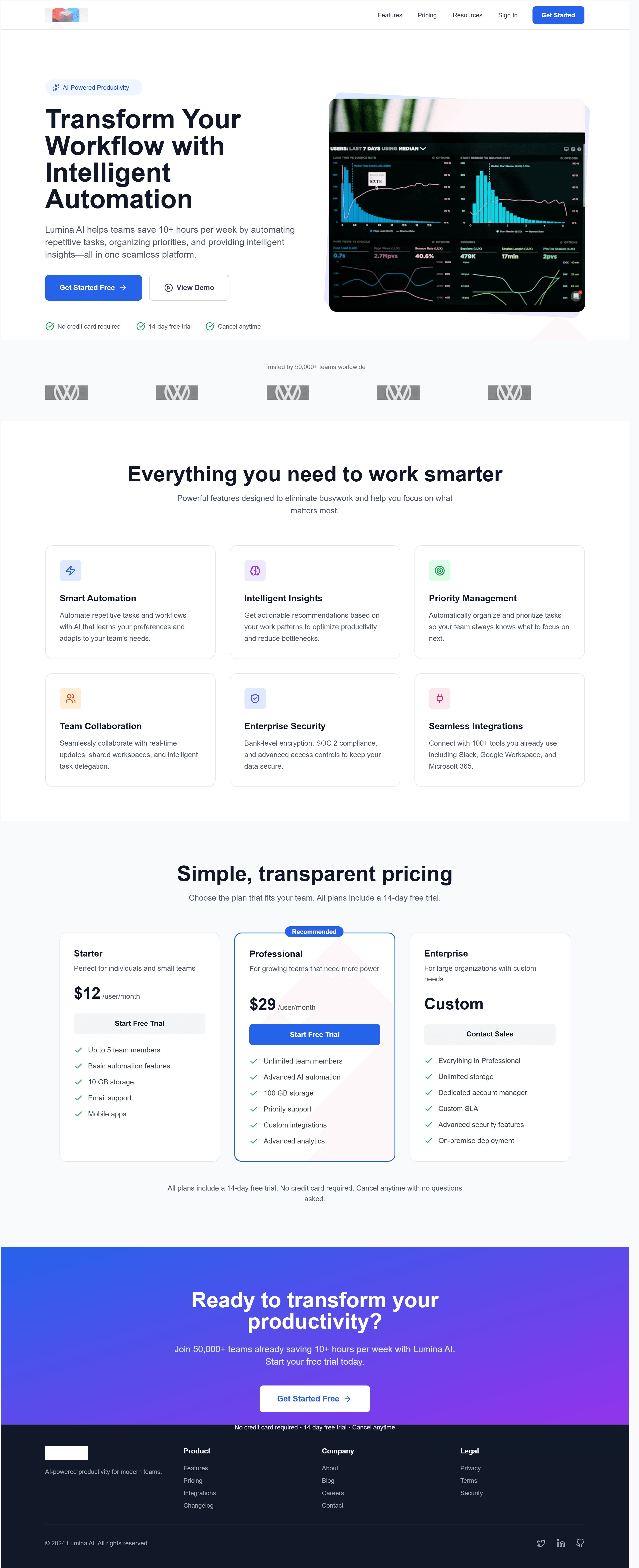
Clear flow, easy to convert
Strong trust signals
Feels generic
Dashboard-heavy hero lacks differentiation
Variant.ai
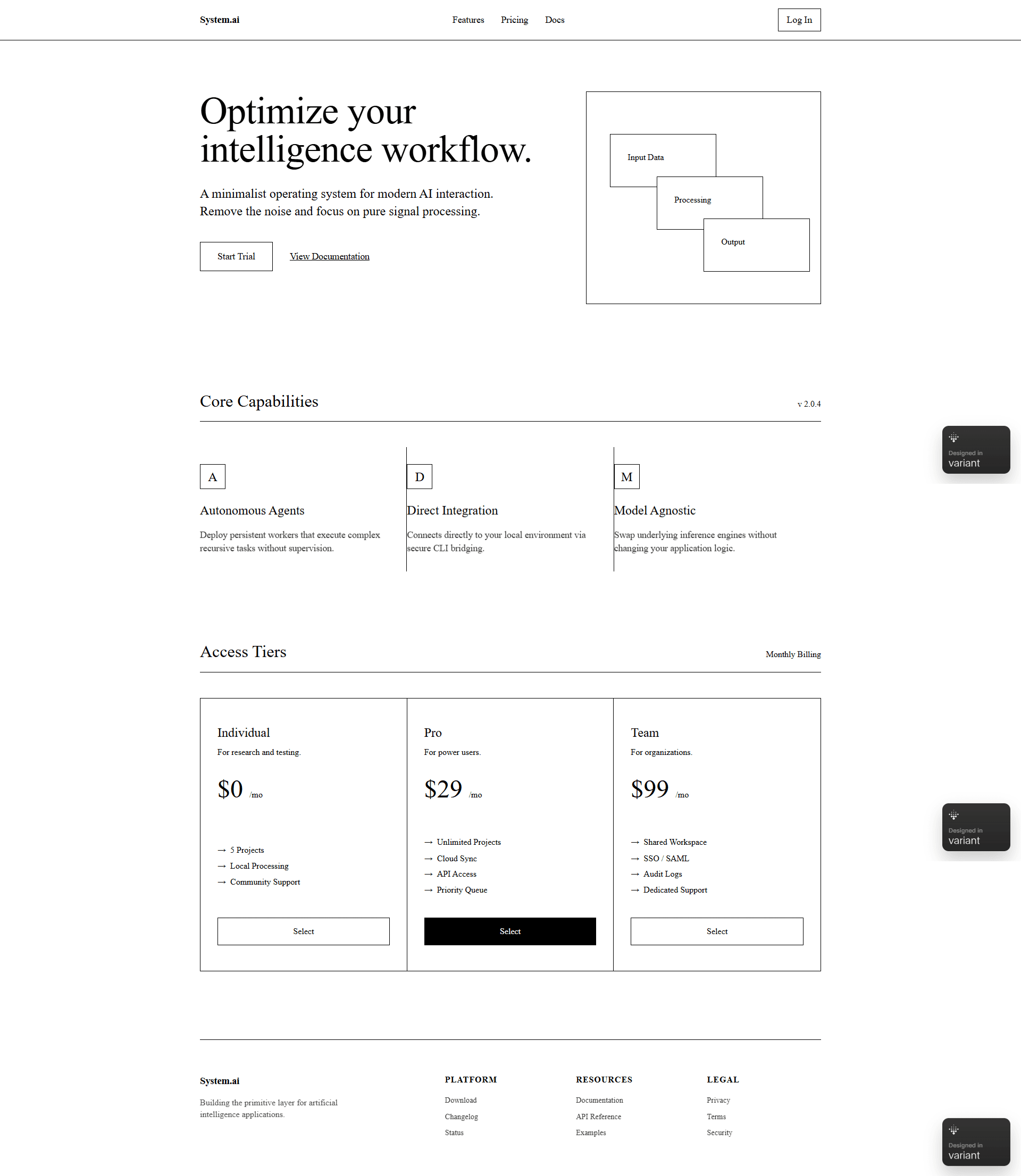
Strong technical identity
Clear niche positioning
Hard to scan quickly
Emotionally cold, low conversion pull
Create a fintech dashboard UI showing account balance, recent transactions, analytics charts, and quick actions. Minimal, professional, desktop-first.
UXMagic
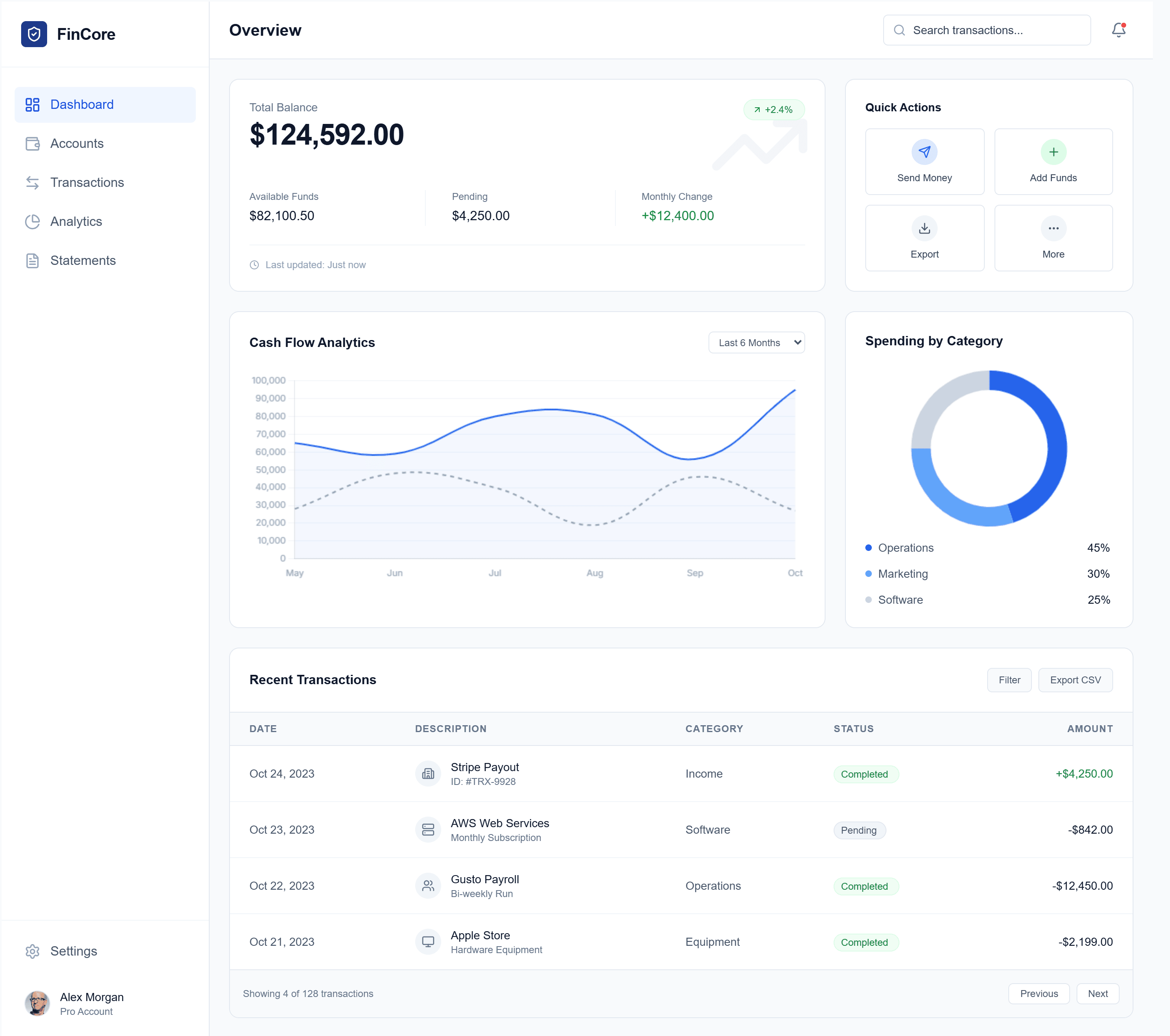
Clear structure, very scannable dashboard
Strong visual hierarchy for actions + data
Feels safe/generic fintech UI
Slightly information-dense for quick insights
Variant.ai
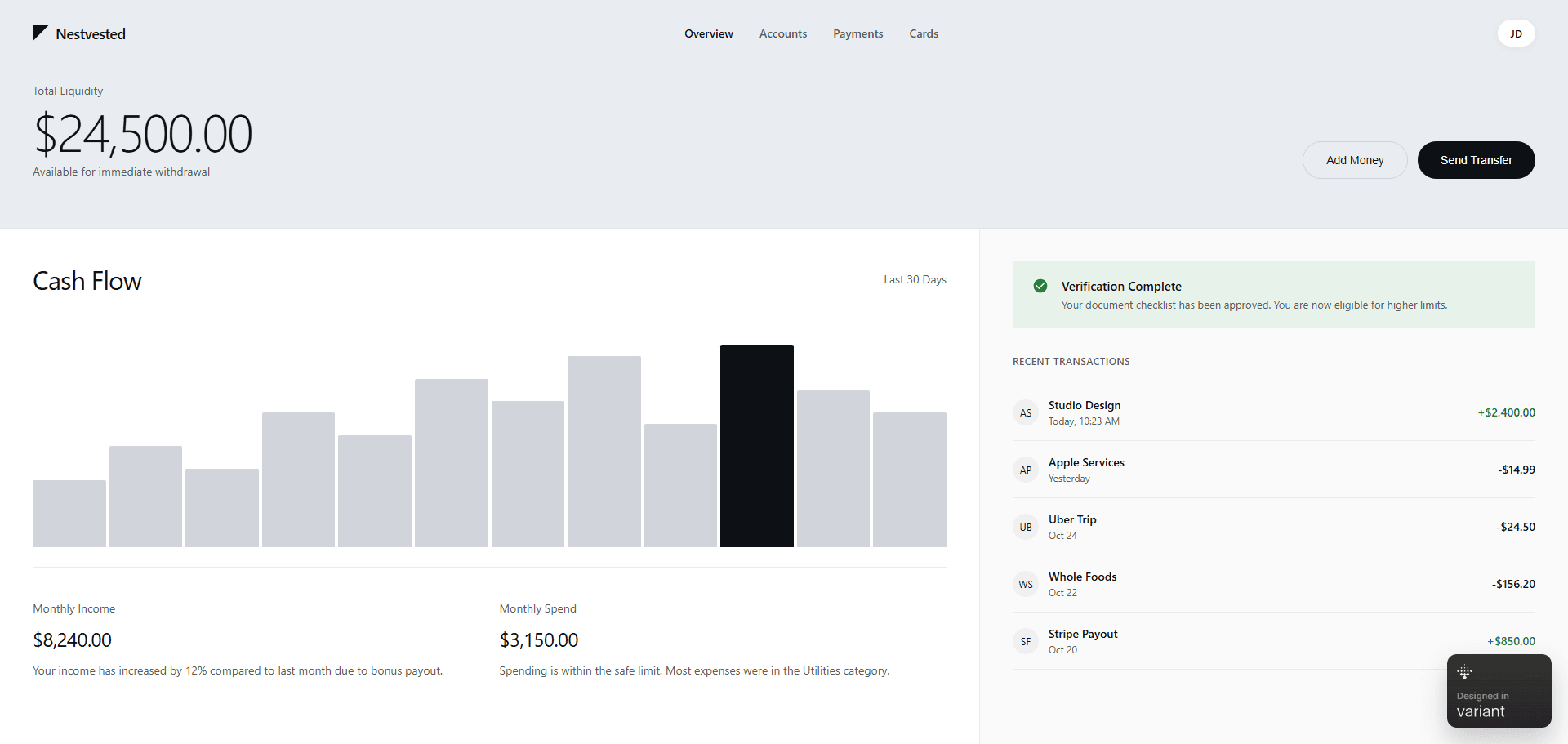
Elegant, calm, premium feel
Focused on core metrics, low noise
Weak hierarchy for actions
Some data lacks immediate clarity

UXMagic
UXMagic is an agentic AI design-to-code platform built to eliminate the execution gap between ideas and deployment. It converts prompts, sketches, screenshots, and URLs into editable Figma files and clean React/HTML code—making it ideal for real product teams.

Variant.ai
Variant.ai is a generative creativity platform built around infinite design exploration. Instead of refining prompts, users scroll through endless design variations, curating visuals that match their desired “vibe.” It shines in early ideation and moodboarding but stops short of production workflows.
Feature Comparison
| Feature | UXMagic | Variant.ai |
|---|---|---|
| Prompt to UI | Converts detailed prompts into structured layouts | Generates visual concepts from a single idea |
| Image / Sketch Input | Supports sketches, screenshots, whiteboards | Not supported |
| Website Cloning | Rebuilds pages from URLs into editable UI | Not available |
| Style Guide Enforcement | Applies brand tokens across all screens | No systematic enforcement |
| Component Editing | Section-level agentic editing | Regenerate whole screens |
| Export Options | Figma nodes, React, HTML | Visual-only output |
| Figma Plugin | Native plugin for live workflows | No plugin |
| Real-Time Preview | Responsive previews | Static visuals |
UXMagic
Pricing Comparison

Free – $0
30 free credits(One Time) upto 5 screens 5 projects 1 Figma Export UI Design Wireframe Mode Sectional Editing
Premium – $25/month
480 credits (Monthly) upto 80 screens 20 Projects 80 Figma Exports Export Code UI Design Wireframe Screenshot to UI Sketch to UI Text Editing & Upload Images Sectional Editing
Ulitmate – $50/month
1500 credits (Monthly) upto 250 screens Unlimited Projects 250 Figma Exports Export Code UI Design Wireframe Screenshot to UI Sketch to UI Import your Figma components/Design System Clone a site(from URL) Sectional Editiing Text Editing & Upload Images

Pro – $20/month or $192/year
3,000 designs per month 16 concurrent generations Unlimited boards, Unlimited chats, and Access control
Final Verdict
In the UXMagic vs Variant.ai debate, the choice depends on your goal.
Choose UXMagic if you need reliable, structured UI that actually ships.
Choose Variant.ai if you need fast, creative inspiration and visual direction.
For serious product work in 2026, UXMagic is the stronger long-term platform.
got questions?we have answers.
UXMagic - because it exports production-ready Figma files and React code, not just visuals.
Yes. Its scroll-based interface and Variable.ai tool free tier make it easy to explore ideas quickly.
It accelerates them. UXMagic generates clean UI code but still benefits from developer review.
Use Variant.ai for early ideation, then UXMagic to build and scale the product.
Not yet. Unlike UXMagic, it lacks deep style guide and component governance.



Related comparisons
Weighing up more than one tool? Here is how UXMagic compares against the closest alternatives.